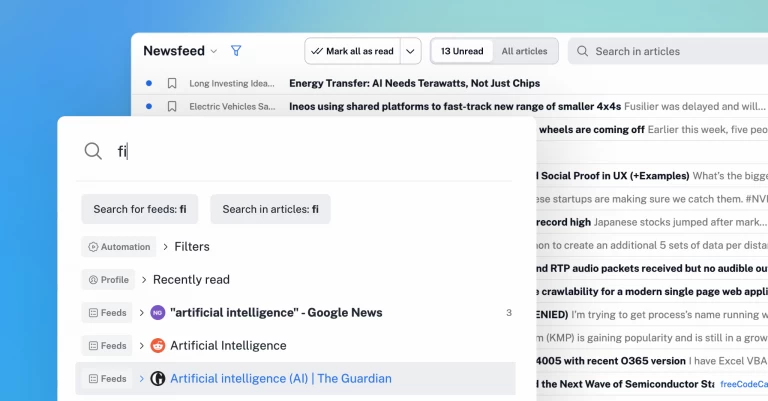
Inoreader 2025: Intelligence and automation in one content hub

As the year winds down and we focus on what’s ahead, it’s the perfect moment to pause and look back at what 2025 brought to Inoreader. It’s been another big year: we introduced Inoreader Intelligence, expanded our integrations and automation options, and rolled out a long list of improvements designed to help you stay on top of your content with less effort and more clarity. From article summaries and Intelligence reports to file uploads and suggested tags, everything we shipped in 2025 had one goal – saving you time and helping you work smarter. Let’s rewind and revisit everything we launched this year!
Smarter reading and quick insights
The absolute star of 2025 was Inoreader Intelligence – our suite of AI-powered tools built for busy professionals who need to process information fast and turn it into actionable insights.
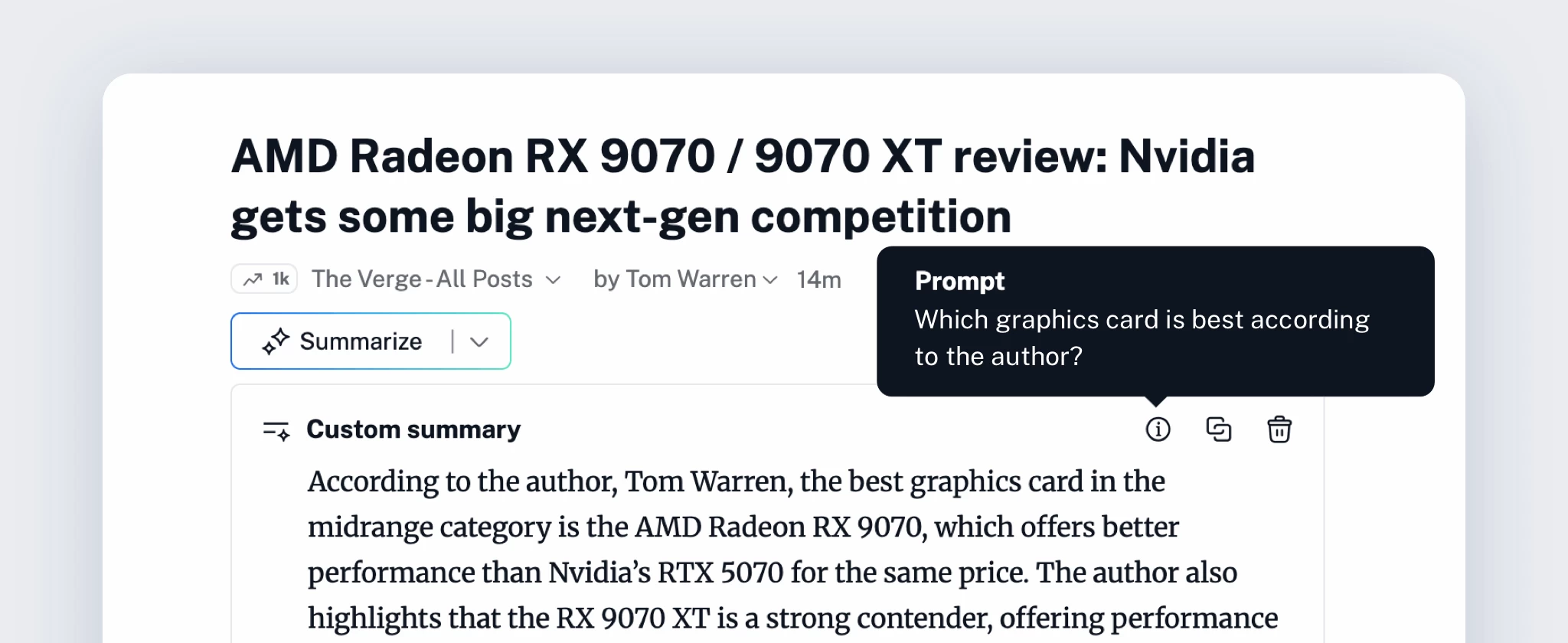
We kicked things off with article summaries. With just a click, you can now generate concise overviews, run predefined or custom prompts, and even ask specific questions about the articles you’re reading. Whether you’re looking for context, digging into a particular angle, or comparing perspectives, summaries give you full control over how you engage with content.
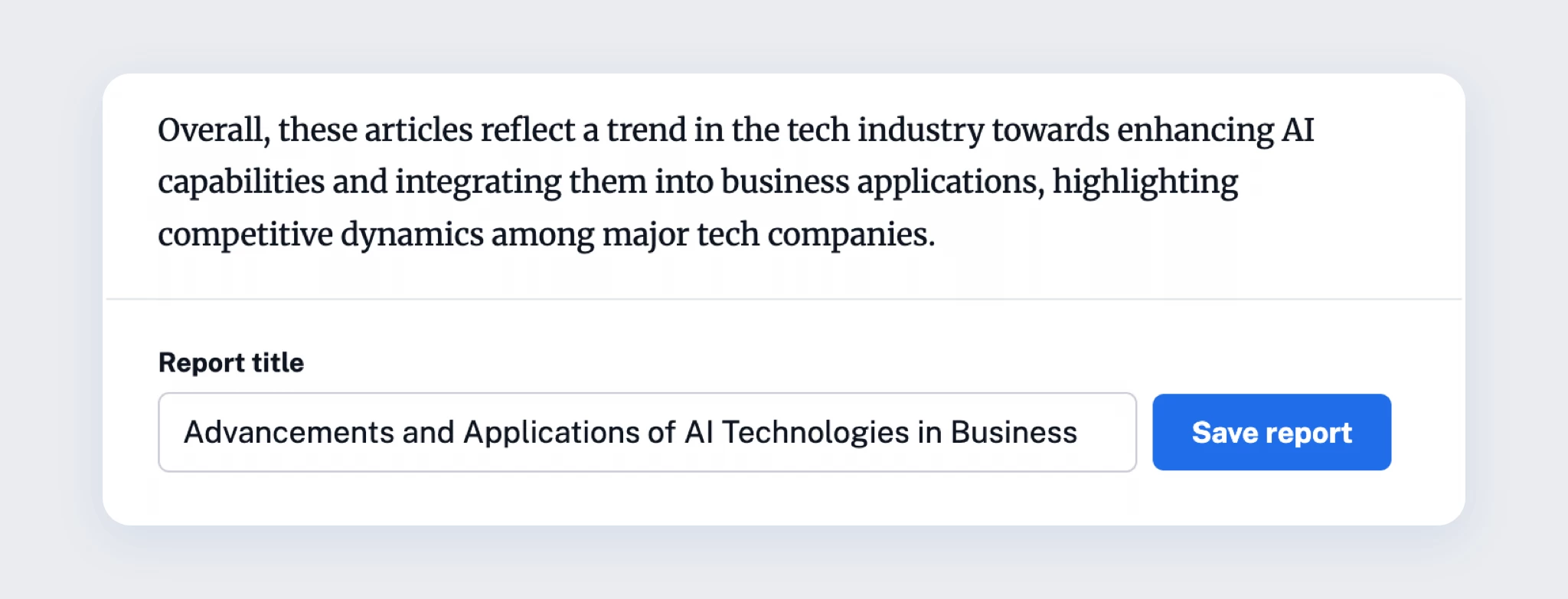
Next came Intelligence reports, alongside our new Team Intelligence plan. Designed for efficiency at scale, Intelligence reports let you select multiple articles and run prompts in bulk to extract key points, compare sentiments, or surface patterns and insights. Once generated, reports can be saved as articles, annotated, exported, or shared with your Team – turning information overload into structured knowledge in minutes.
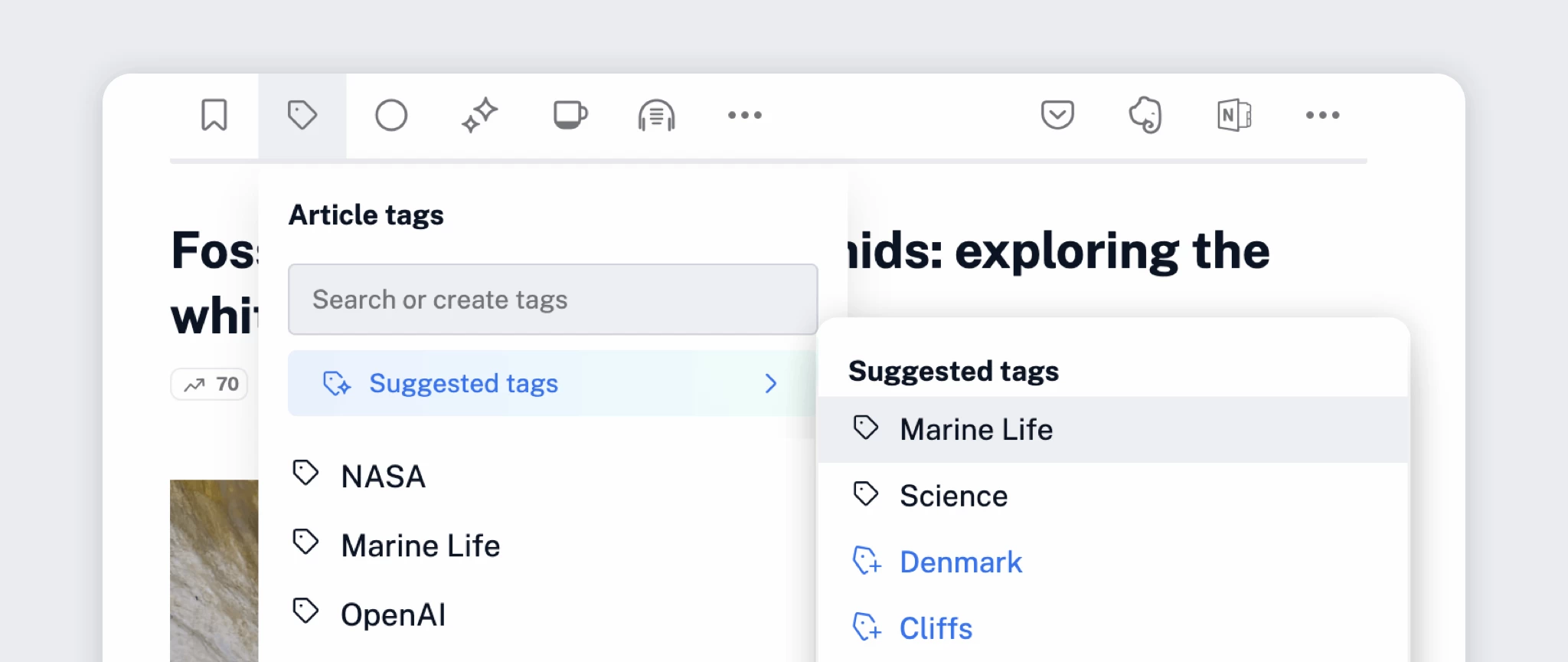
The third addition to the Intelligence suite was suggested tags. While reading an article, you’ll now find a ‘Suggested tags’ button at the top of the tag menu. When you click it, Inoreader analyzes the content, recommends relevant tags from your existing system, and proposes new ones you might want to create. For Teams, suggestions include both personal and shared tags – a small feature that makes staying organized significantly faster.
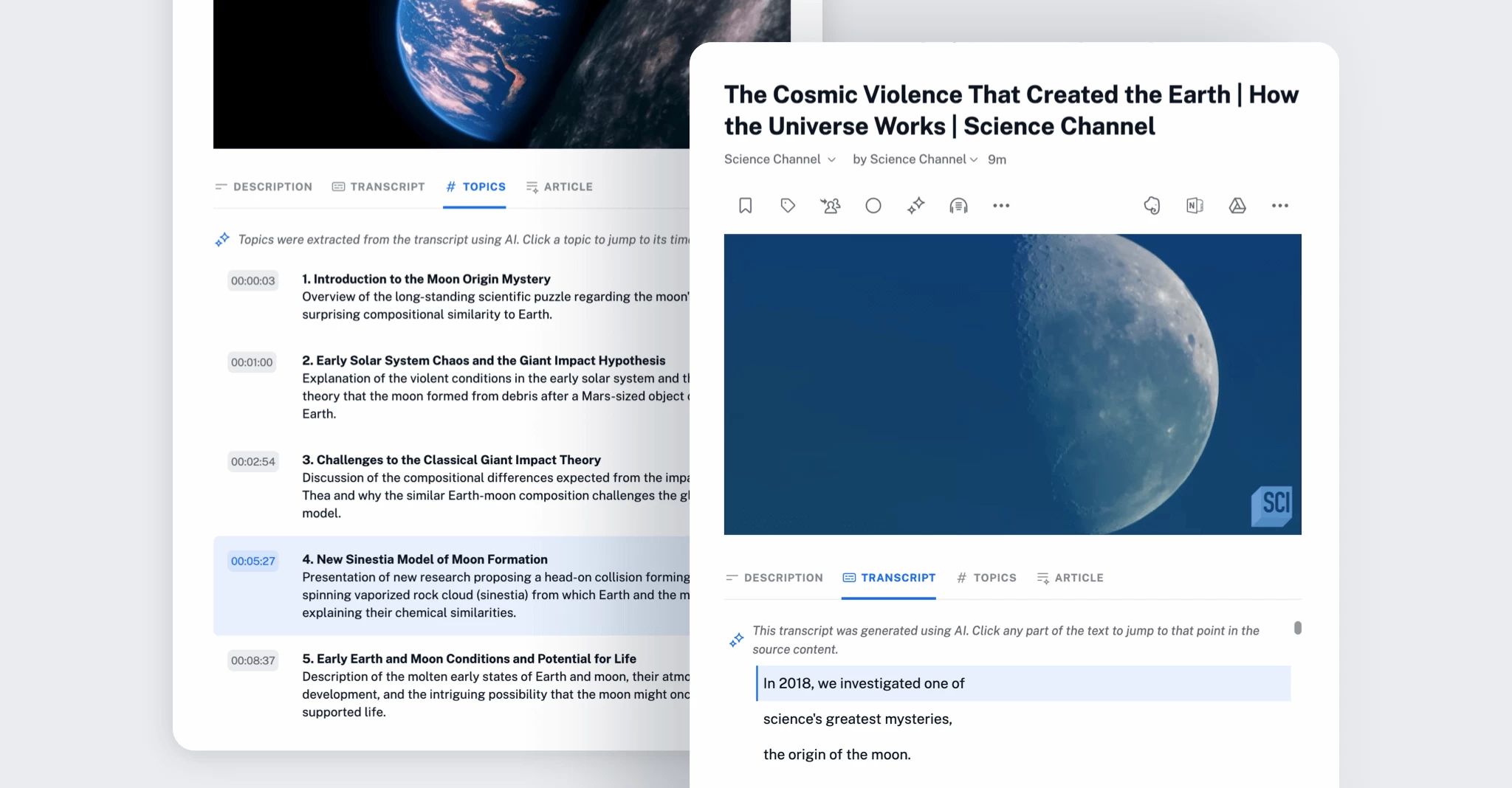
And finally, podcasts and YouTube videos got a serious upgrade. In September, we introduced a brand-new audio player along with transcripts, topics, and article summaries. As podcasts and video continue to play a bigger role in how we consume information, these improvements make it easier to search and extract value from every episode – even when you don’t have time to listen or watch in full.
Inoreader as a read-later tool and content hub
Our first major release of 2025 was the Inoreader browser extension 6.0, designed to make saving and organizing content effortless. With the updated extension, you can collect web pages directly from your browser, tag content as you save it, and keep everything tidy from the start. You can also save private web pages, such as LinkedIn and X posts, making sure valuable insights from your social listening don’t get lost. Add highlights and annotations while reading in your browser, then access all your notes inside Inoreader. With two-click saving, improved core functionality, and enhanced Team sharing options, the extension is an essential companion for everyday reading.

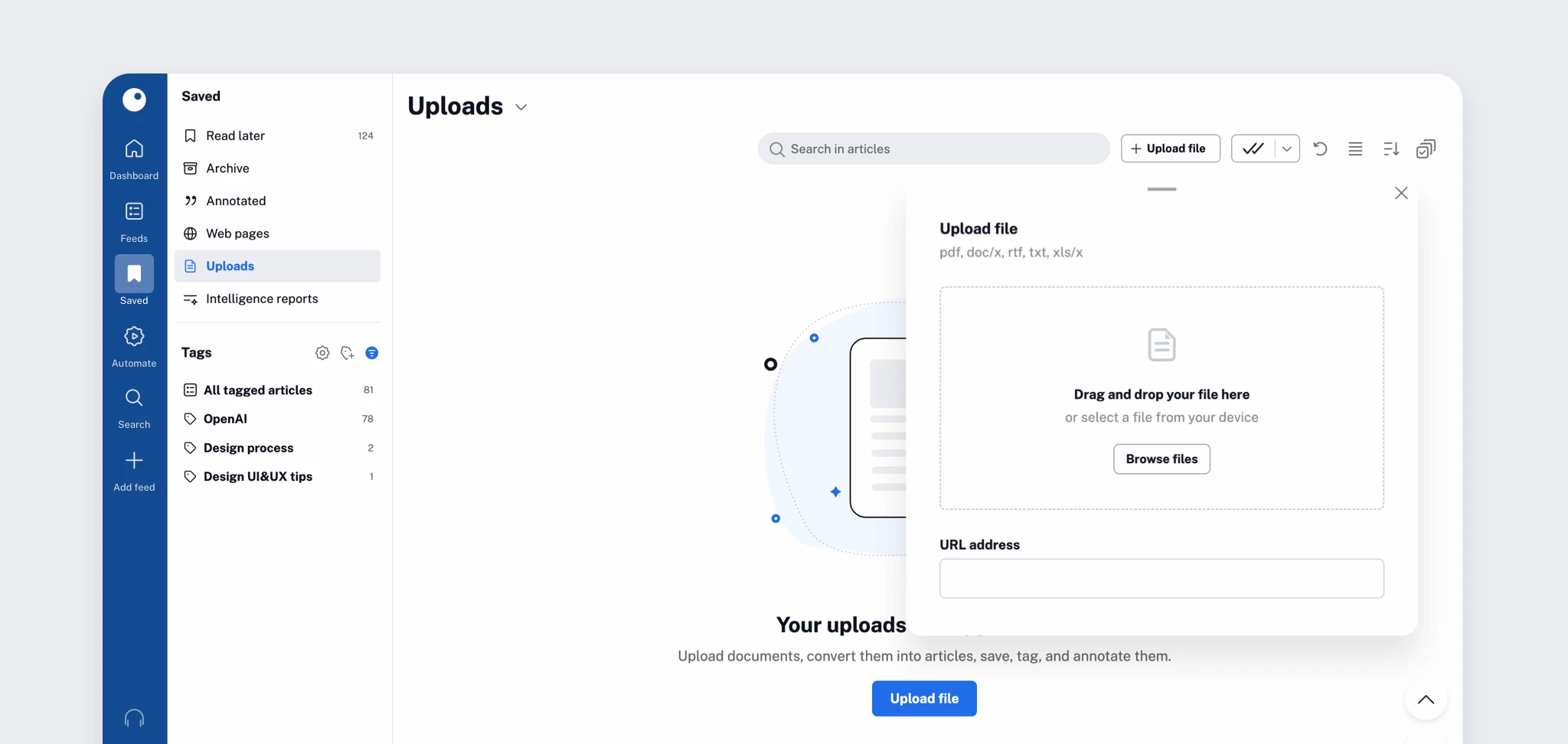
Next, we took another step toward making Inoreader the ultimate content hub with file uploads. You can now upload your own documents and have them converted into articles, ready to read, annotate, organize, and share. From research papers and industry reports to meeting notes and link collections, your personal library just got a lot more powerful.
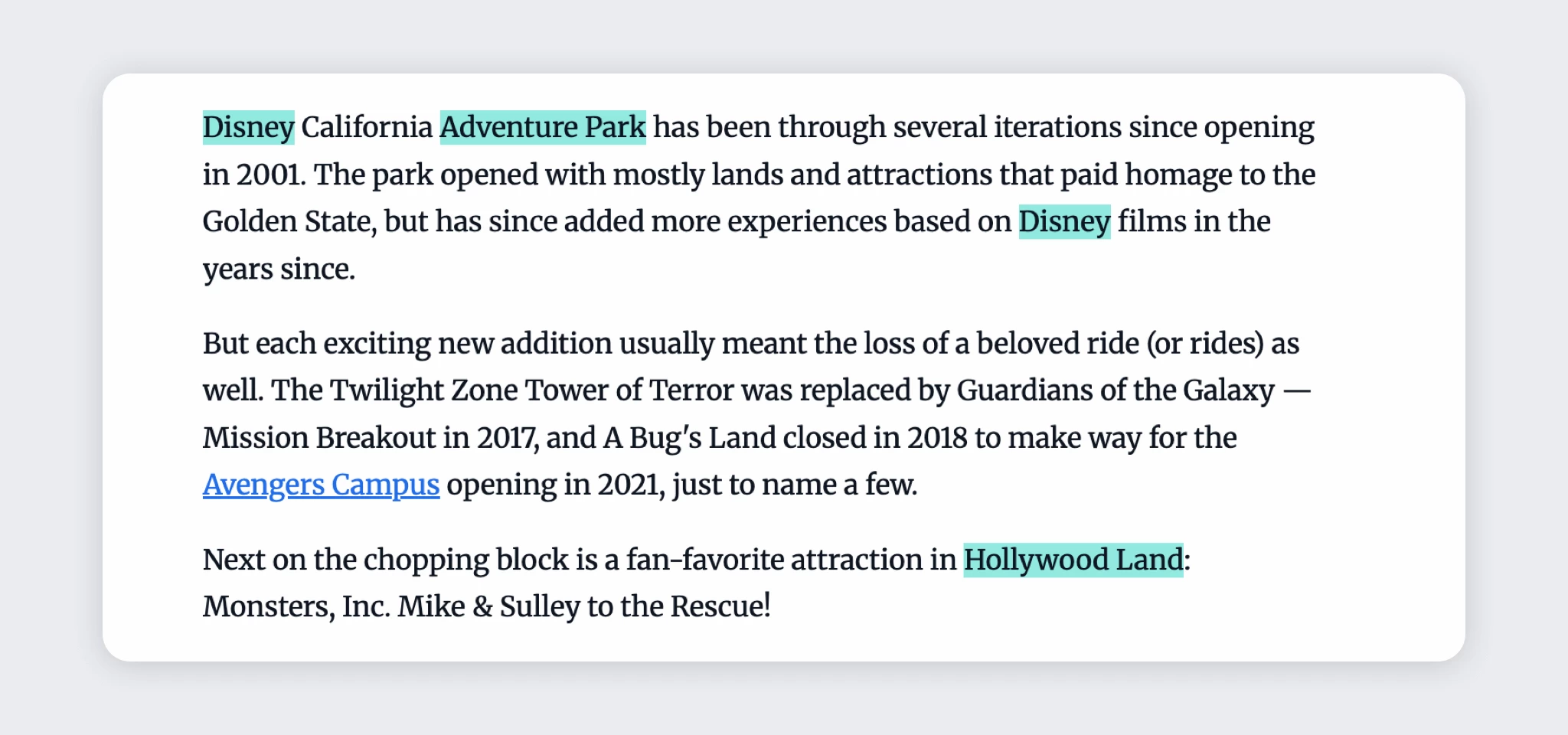
In June, we rolled out improvements to some of our most-used reading tools. Spotlights (formerly highlighters) now support groups of related keywords with shared colors, giving you more context at a glance. For Teams, spotlights can also be shared across members, helping everyone focus on the same priorities.
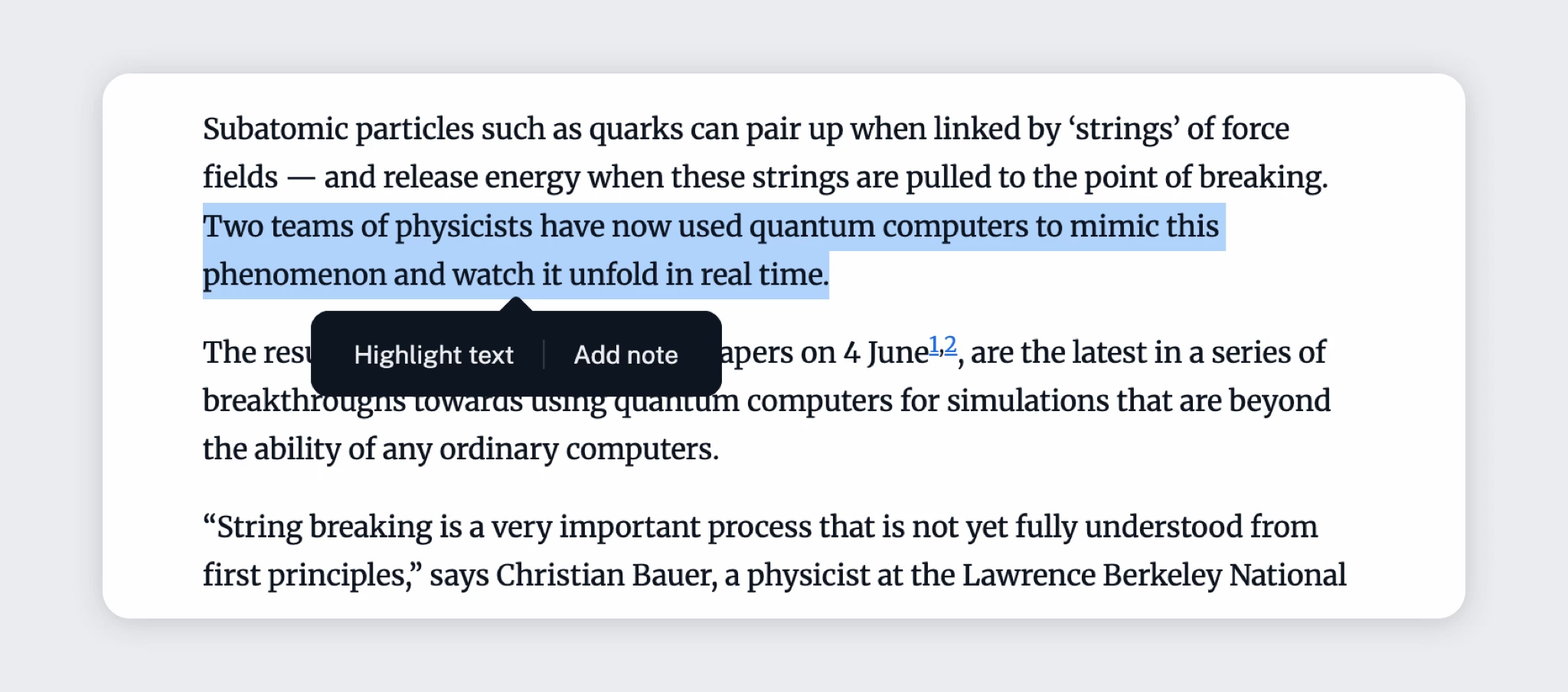
We also refreshed annotations, both in name and functionality. What used to be grouped under “annotations” is now split into highlights (marked text) and notes (comments on full articles or specific highlights). Everything still lives under Saved > Annotations, remains fully searchable, and is safely stored in your account with clearer distinctions and a more intuitive workflow.
New integrations and automation tools
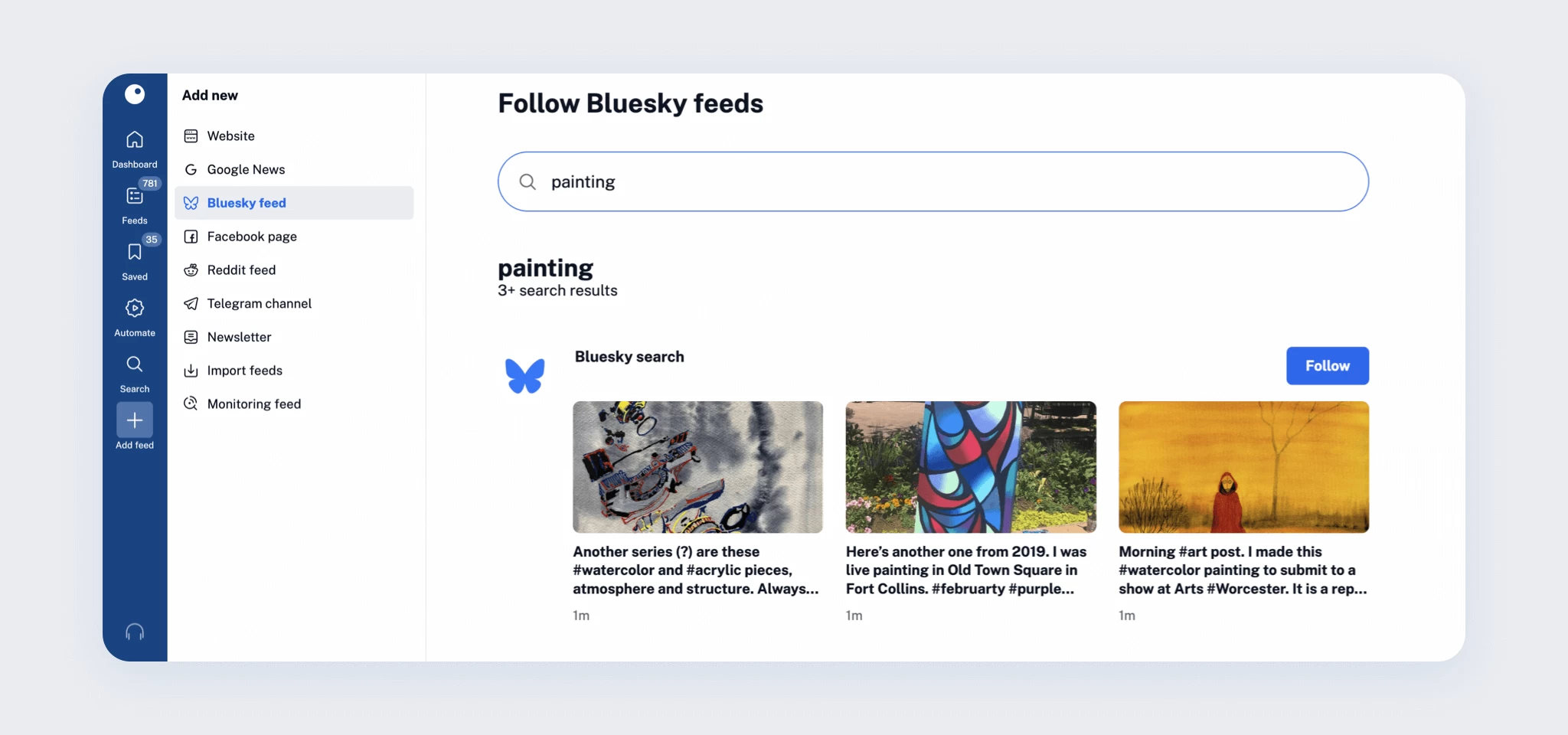
At the start of 2025, Bluesky was quickly gaining traction as an alternative social platform, so we introduced a dedicated Bluesky integration. You can now follow accounts, hashtags, search results, and even your Home timeline directly in Inoreader, right alongside your other feeds.
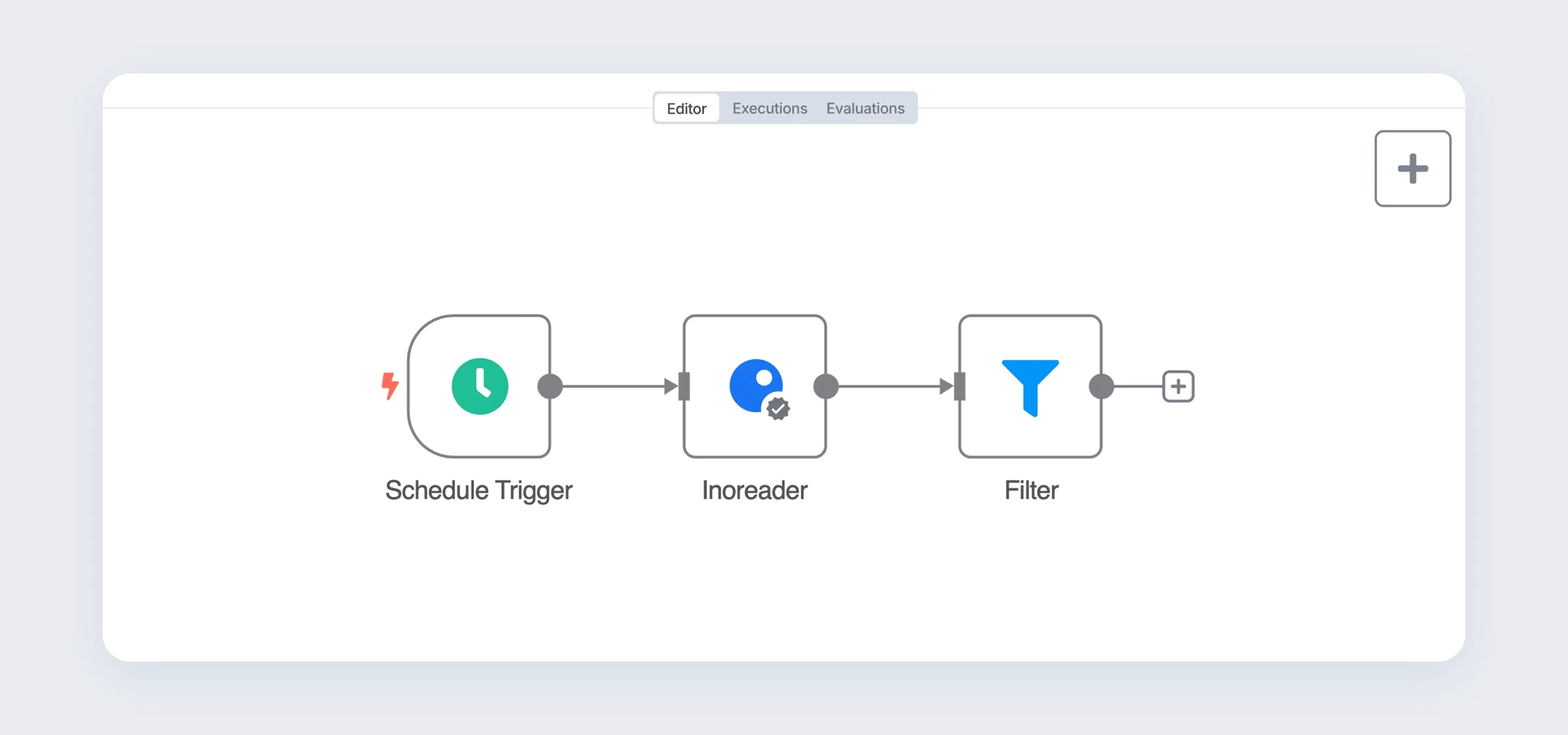
On the automation front, our n8n integration became a standout addition. One of the most popular workflow automation platforms, n8n now lets you connect Inoreader with over 1,000 apps and services. Whether you’re building monitoring systems, sharing curated news automatically, or feeding AI tools with fresh content, the possibilities are extensive.
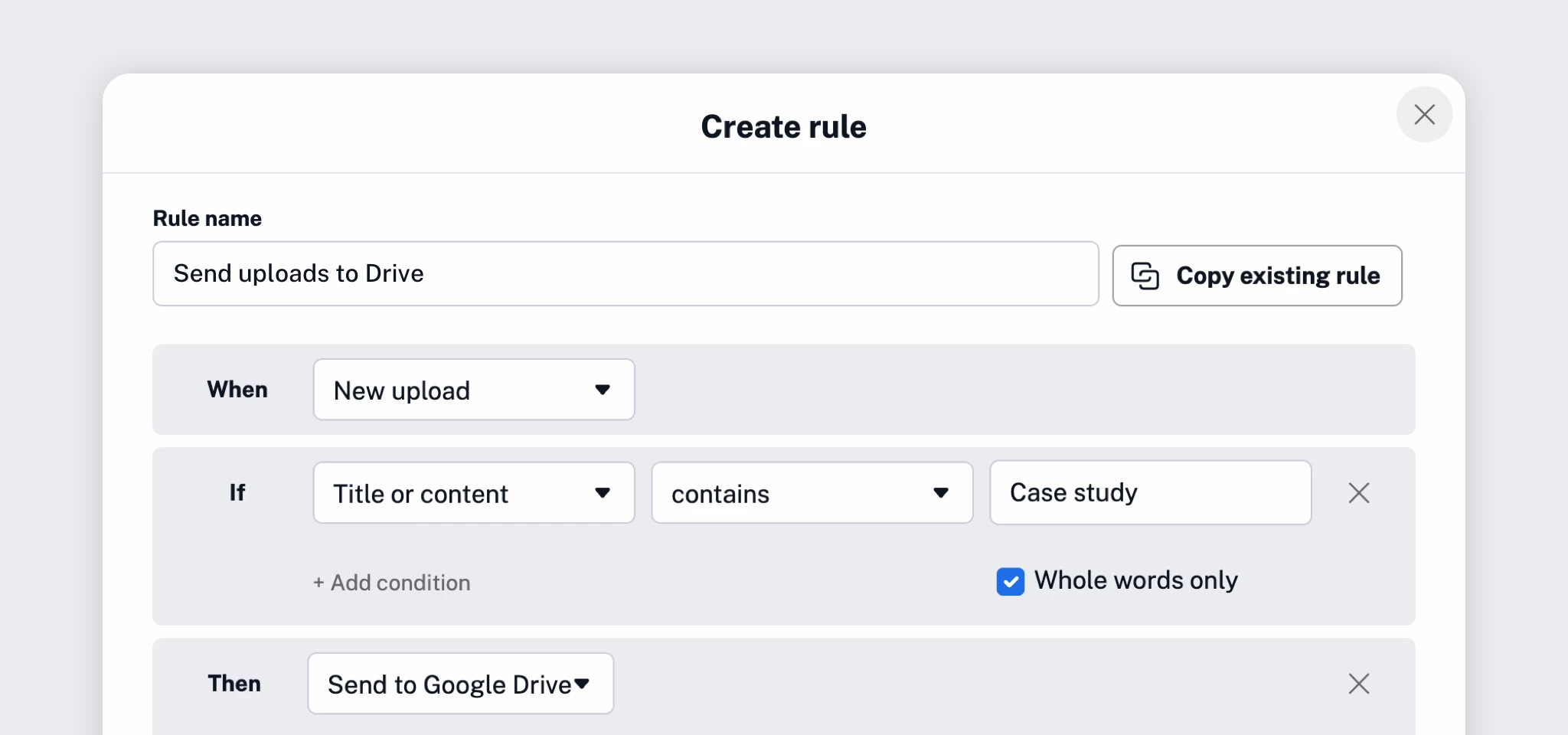
We also made rules, one of Inoreader’s most powerful features, even more flexible. Two new triggers – New Intelligence report and New upload – let you kick off automations based on reports or files. On top of that, we added four new actions: Create summary, Translate article, Add note, and Send to Raindrop.io, giving you even more control over how your content flows.
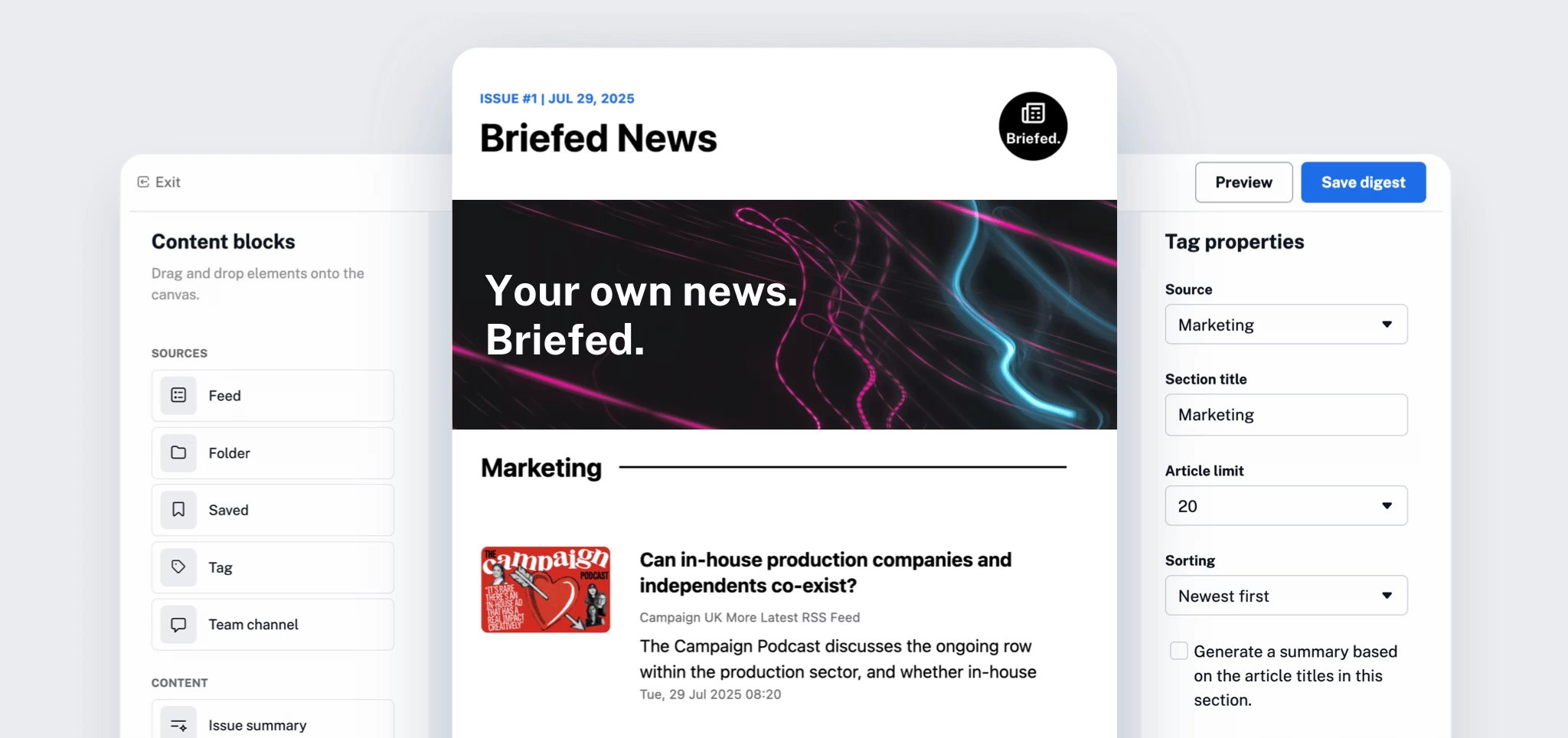
Email digests received a major upgrade as well. With a new drag-and-drop editor, enhanced customization, and improved scheduling, creating and sending curated digests to yourself or your team is now faster, cleaner, and more flexible than ever.
Core feature and performance improvements
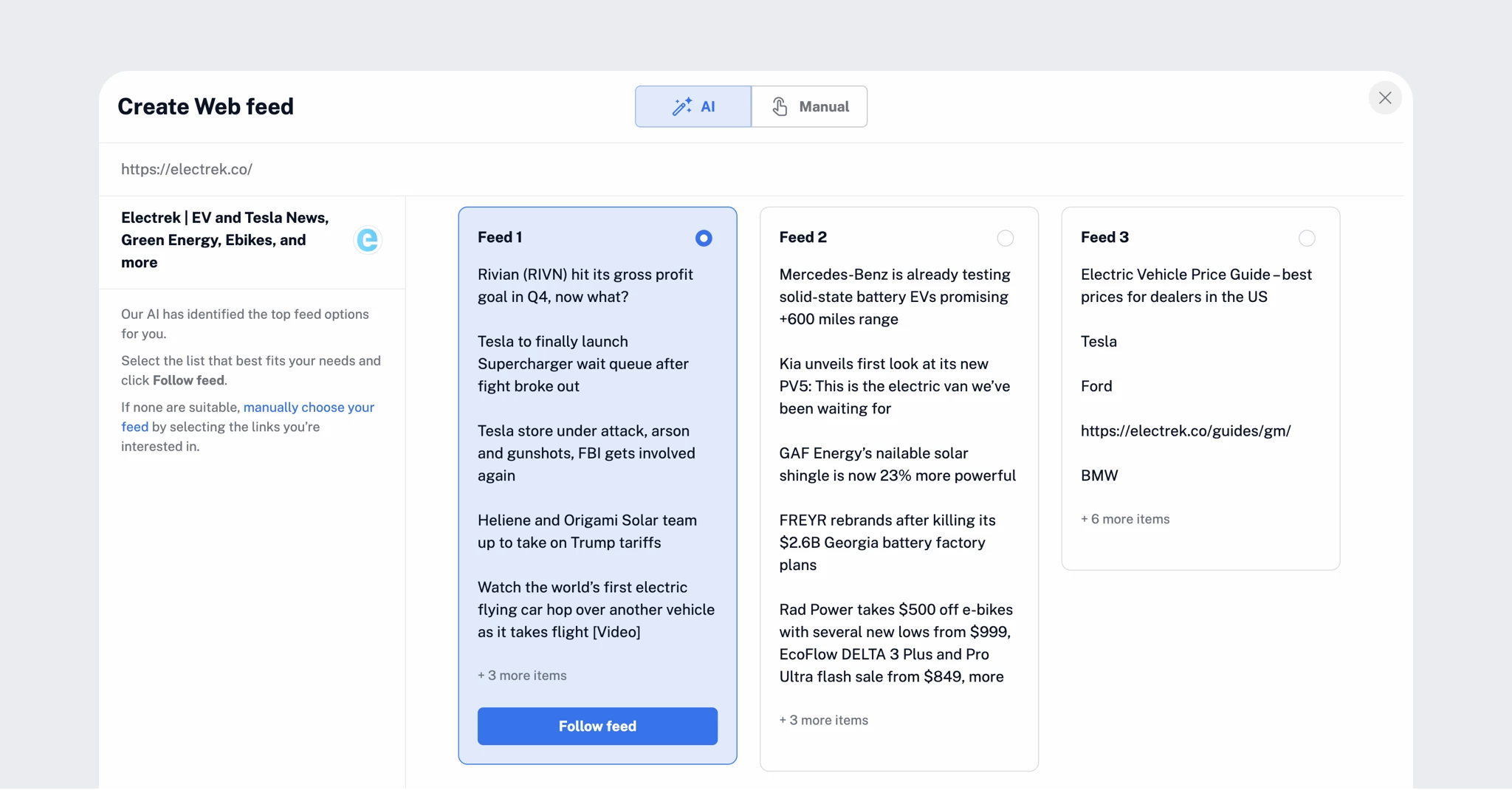
We spent a good part of 2025 refining the fundamentals. Web feeds and Track changes are now easier to add and more reliable, accessible directly from ‘Add feed’ in the tab bar and listed alongside all other feed types in the sidebar. We also improved feed detection, loading speeds for external content, and removed common blockers like cookie consent overlays when selecting content to follow.
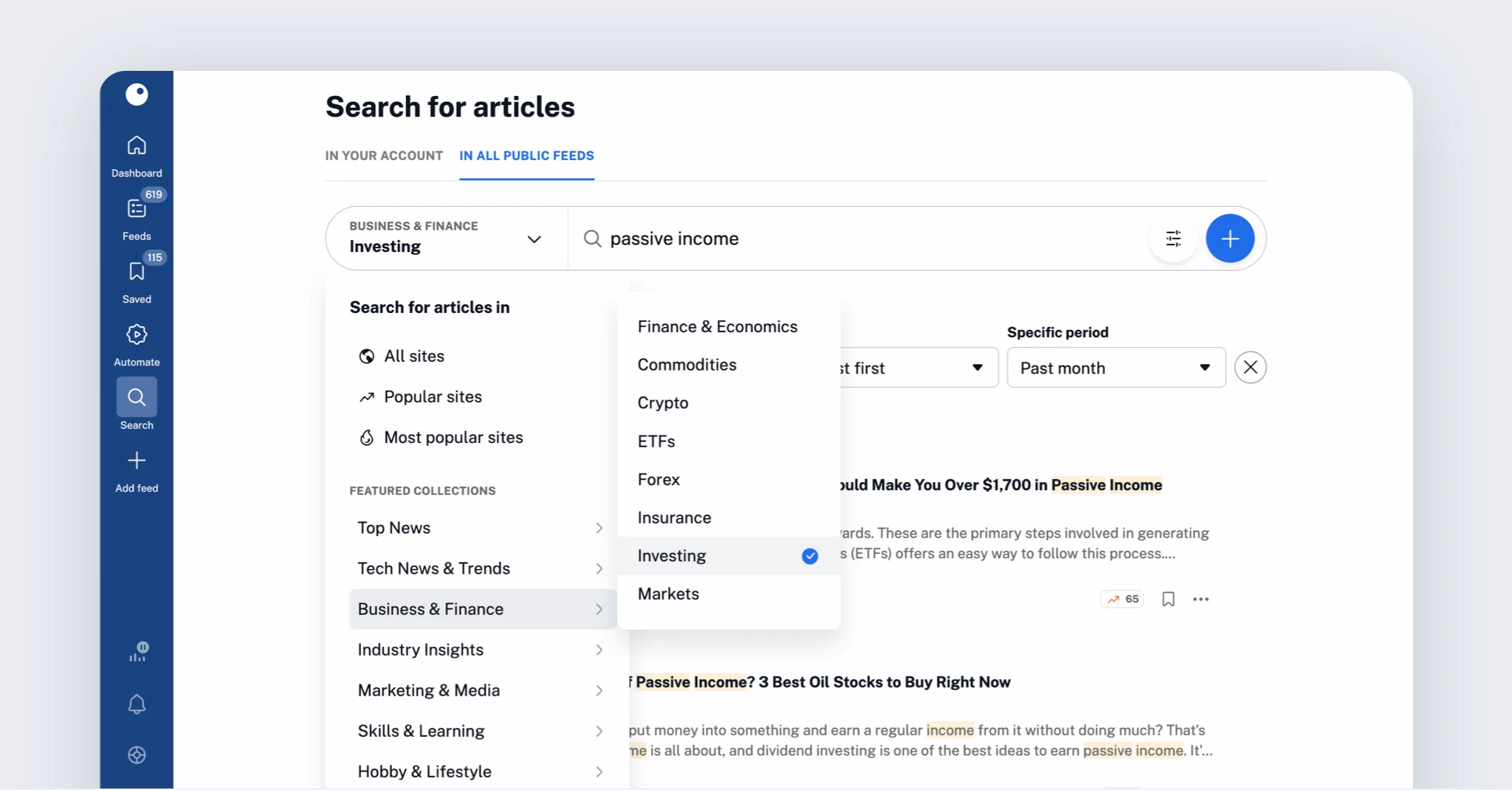
Content discovery also got a boost with updates to Global search. You can now search within featured collections – a curated set of reliable, high-quality sources – and quickly save articles to Read later, add them to your playlist, create rules or monitoring feeds.
Finally, we moved translations and text-to-speech to our own infrastructure, powered by state-of-the-art hardware. The result: faster performance, support for over 50 languages, and – for the first time – access for Free users via daily quotas, with unlimited use for Pro subscribers.

Goodbye, 2025. Hello, 2026!
2025 brought us Inoreader Intelligence, smarter tools for active reading, stronger automation, new integrations, and meaningful improvements to core features. We even launched our own YouTube tutorial series along the way!
Looking ahead to 2026, we’re preparing a major app update, significant improvements for Teams, and even more ways to help you navigate, filter, and own your online information space.
Here’s to a productive, focused, and well‑informed New Year! 🥂