Can a Team member switch to their own AI platform or model?
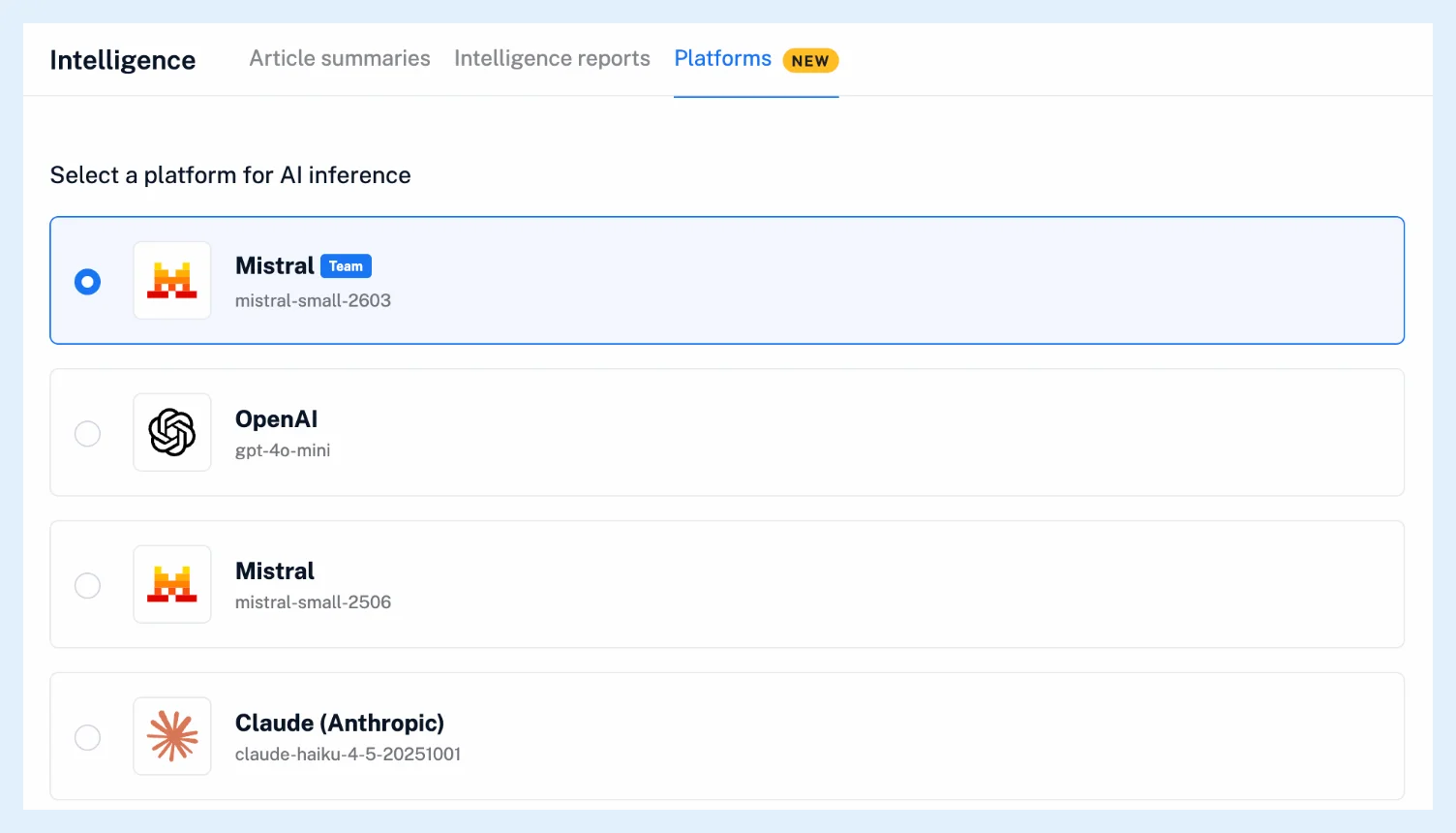
Yes. Click the gear in the tab bar, open Intelligence and the Platforms tab, and select OpenAI, Mistral or Claude (Anthropic) instead of the card marked Team. The choice is saved at once, and selecting the Team card again goes back to the Team's setup. Members of a Team Intelligence plan can also add their own API key and pick its model.
Switch platform
- Click the gear in the tab bar and open Intelligence.
- Open the Platforms tab.
- Select OpenAI, Mistral or Claude (Anthropic). It is saved at once.
- On a Team Intelligence plan, click Use own API key on that card to add your key, then choose the model under Settings > Model.
- To go back to the Team's setup, select the card marked Team.
What changes
The Team card shows the platform and model your Team owner chose, and it is selected by default, as Can my Team have a default AI platform and model? explains. With another card selected, your summaries and reports run on that platform, with your own key when you've added one or on Inoreader's account with the platform's default model. Which AI platforms does Inoreader support? describes the platforms.
Requests on Inoreader's account count toward your Intelligence tokens, your own limit or the Team's pool. On your own key, Intelligence reports and automated reports don't count, while summaries still do.
Your own key and model
On a Team Intelligence plan, each card has Use own API key. Once a key is saved, Settings on the card shows the key, the Model to pick and Remove your API key. Can I use my own API key? covers keys in detail. Members of a Team plan pick a platform and use its default model.
Plans
Switching platform is open to every member of a Team or Team Intelligence plan, and an own API key and model come with Team Intelligence plans. The feature page Intelligence has an overview.
Can't find an answer? Contact support