What formats can I use to share or export content and subscriptions?
For articles, a folder's or tag's output feed comes as RSS and JSON for other readers and tools, and as an HTML clip to show on a web page. For subscriptions, OPML carries your list of feeds and folders: download the whole list from Export and backup on any plan, or a single folder's list from its output feeds.
RSS and JSON
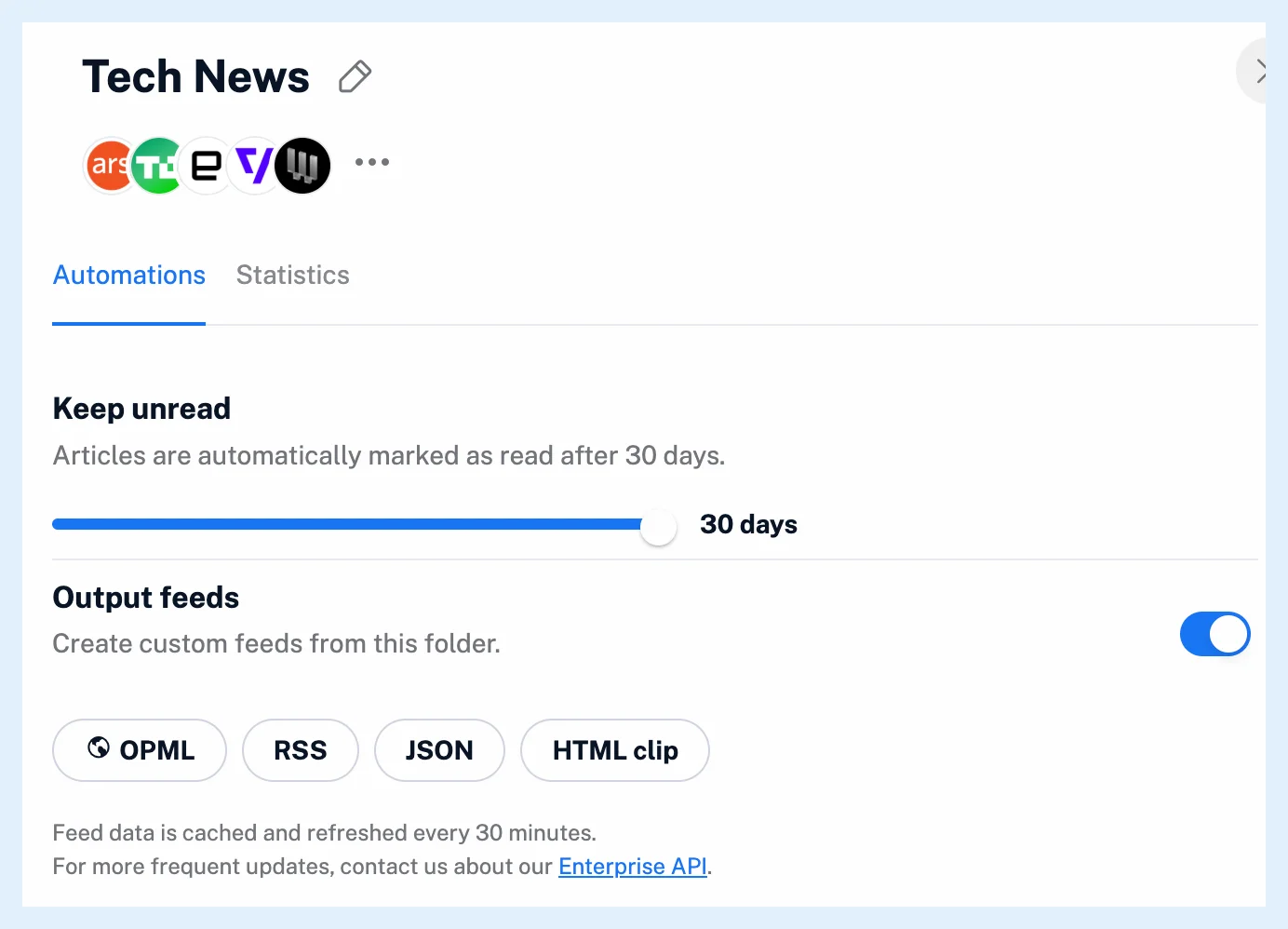
RSS (RSS 2.0) and JSON (JSON Feed) carry the same items: title, link, content, date, author, enclosures, your tags and the source feed. Pick RSS for a feed reader or any tool that reads feeds, and JSON where a tool prefers structured data. Both open in a new tab from the RSS and JSON buttons under Folder properties or Tag properties > Automations > Output feeds, see What are output feeds?.
HTML clip
An HTML clip is a styled page of the latest articles that you link to or embed in a site with an iframe code. What are HTML clips used for? explains its editor.
OPML
OPML is a list of feeds and folders, not of articles. It holds your RSS and JSON feeds, while newsletter, web and social feeds are left out. Download your whole list from Preferences > Account > Export and backup > Download OPML file, one folder's list with the download icon in Preferences > Content > Folders, or share a folder's list with the OPML button of its output feeds, which others can open while the folder's output feeds are on. What is OPML used for? has the details.
Everything else
Email me the full account archive in Export and backup sends a zip with OPML and JSON files of your account. Selected articles can be exported with Export to CSV and Save as PDF from the bulk actions. Can I export my subscriptions and content? lists these exports.
RSS, JSON and HTML clip output feeds and the CSV and PDF exports are Pro features, while the OPML download and the account archive work on every plan.
Can't find an answer? Contact support