A better way to keep up with newsletters
Newsletters are a great way to follow content creators, publications, and topics you care about. But subscribe to enough of them, and your inbox can quickly become another feed to manage.
With newsletter feeds in Inoreader, you can keep newsletters separate from your personal email and read them alongside the rest of the content you follow.
Keep newsletters out of your inbox
Instead of using your personal email address when subscribing to a newsletter, you can create a dedicated @ino.to email address in Inoreader.
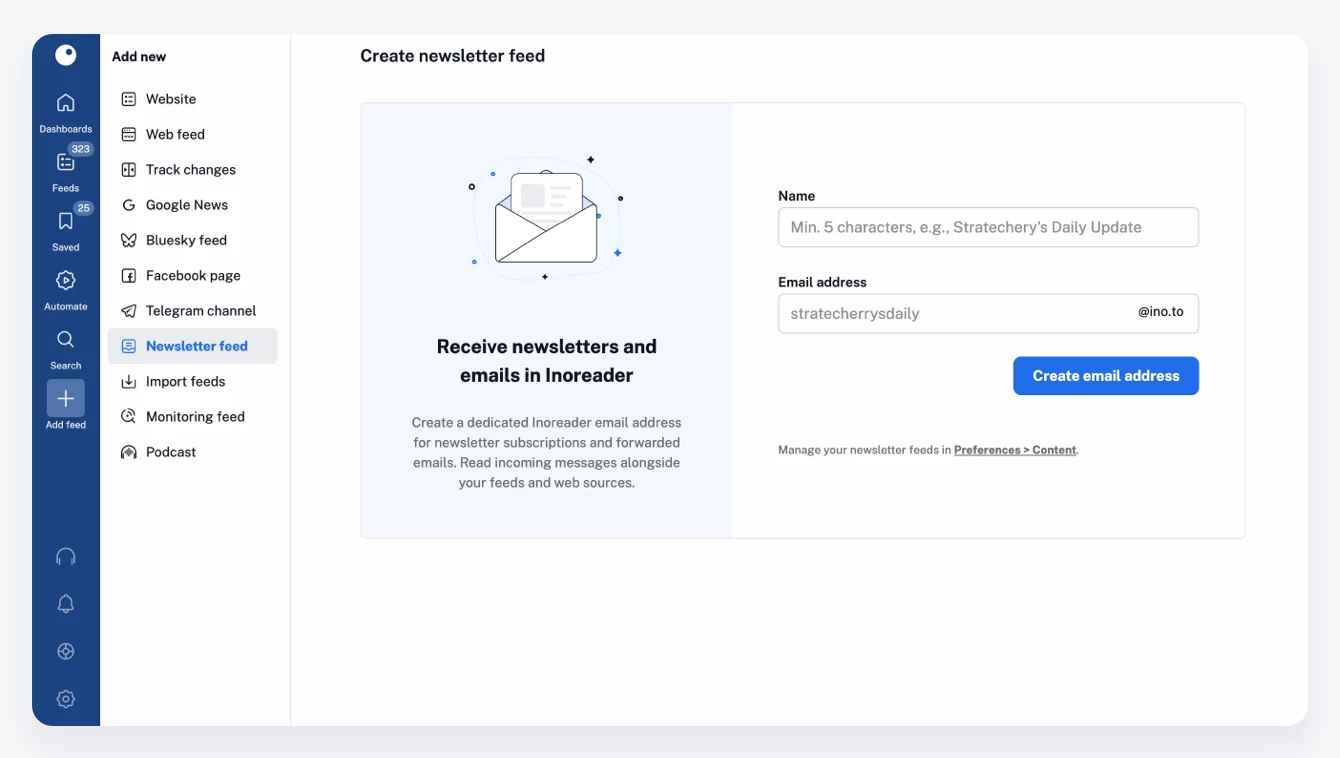
Messages sent to this address appear as articles in a newsletter feed, right next to your followed websites, RSS feeds, social feeds, and other sources. This way, your inbox stays focused on communication, while the content you want to consume stays in Inoreader.
Keep your personal email private
Using a dedicated address also means you don’t have to share your personal email with every publication or newsletter service you subscribe to.
This helps limit where your email address is stored and reduces its exposure if a third-party service experiences a data leak or shares subscriber information.
And because each newsletter feed can have its own address, you can keep different subscriptions separate and manage them independently.
Read newsletters like the rest of your content
Once a newsletter arrives in Inoreader, it becomes part of your regular reading workflow.
You can organize newsletter feeds into folders, save interesting issues for later, add tags and annotations, search your archive, and use Inoreader’s other tools to filter, organize, and manage the content that matters to you.
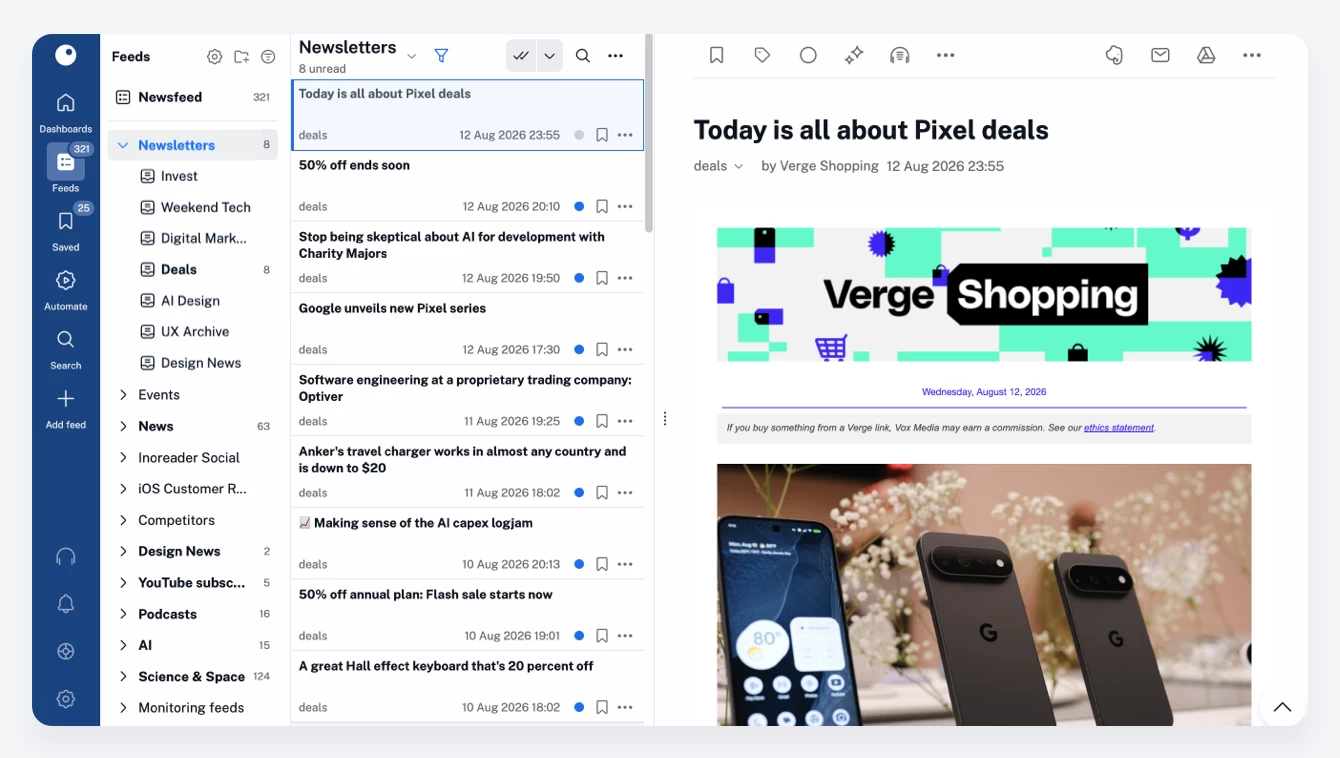
Instead of switching between your inbox and different reading apps, you can keep everything you follow in one place.
Already receiving newsletters by email?
You don’t have to subscribe all over again.
Simply create a newsletter feed in Inoreader and forward your existing newsletter subscriptions to its dedicated email address. This is also useful for other emails you’d rather read or keep with your feeds instead of in your inbox.
Create your first newsletter feed
To get started, go to Add feed > Newsletter feed in Inoreader. Give your newsletter feed a name, choose your dedicated email address, and use it to subscribe to newsletters or forward emails. New messages will arrive directly in Inoreader, ready to read along with everything else you already follow. Less clutter in your inbox, more control over what you read.
Newsletter feeds are a Pro feature. Not a Pro user? Try it out for free: