Where can I see what my Team is doing?
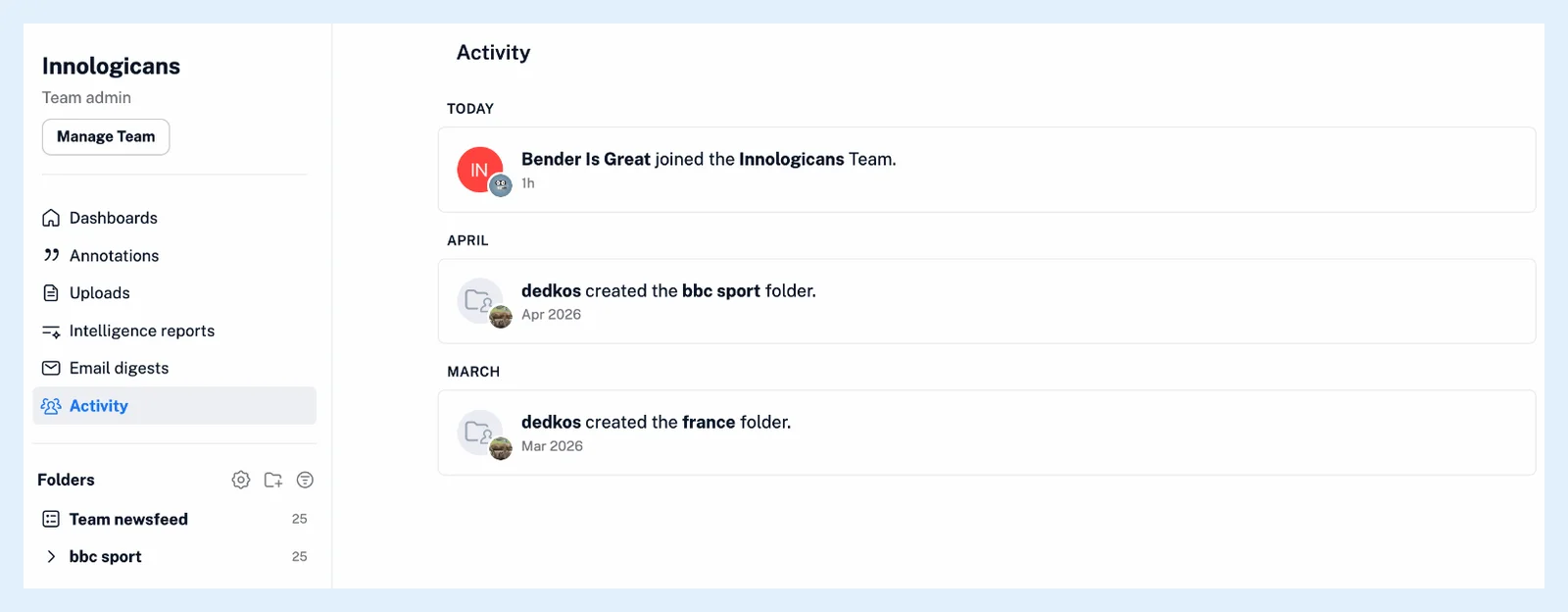
Click Team in the tab bar and choose Activity in the Team sidebar. It is a timeline of what members did, newest first: articles shared and comments posted in the channels you belong to, and Team-wide events such as new members, folders, tags, channels and digests.
Open the timeline
- Click Team in the tab bar.
- Click Activity, the last page in the Team sidebar.
You can also press . for quick access and pick Activity under Team. Every member of the Team can open it.
What an entry shows
Each entry has the member's picture and name, which open their profile, what they did and when. A shared article shows its picture, title and feed and opens on click, and a share note or a comment shows its text. Entries are grouped under Today, Yesterday, Previous 7 days and Previous 30 days, then by month. While nothing has happened yet, the page reads "Your Team activity will show up here."
Who sees what
Shares and comments appear only for the channels you're a member of. Team-wide events, such as a member joining or a Team folder being created, show for every member. What actions are tracked? lists every kind of entry, and Where do comments appear? follows a comment from the article to the timeline. What is my Team sidebar, and what can I find there? covers the other Team pages.
Plans
Activity comes with the Team and Team Intelligence plans as part of Teams.
Can't find an answer? Contact support