What actions are tracked?
Team > Activity lists the articles shared and the comments posted in your channels, members joining the Team, channels created or deleted, Team folders and tags created or deleted, and email digests created, deleted or sent. Reading, uploads, highlights and notes, Intelligence reports, dashboards, filters, spotlights and settings changes aren't listed.
Shares and comments
An entry such as "Anna shared an article in Marketing." carries the share note and the article card, and "Anna left a comment in Marketing." carries the comment text. Both appear only for the channels you're a member of, whether the share came from a member, a rule or the app. Where do comments appear? follows a comment from the article to the timeline.
Members and channels
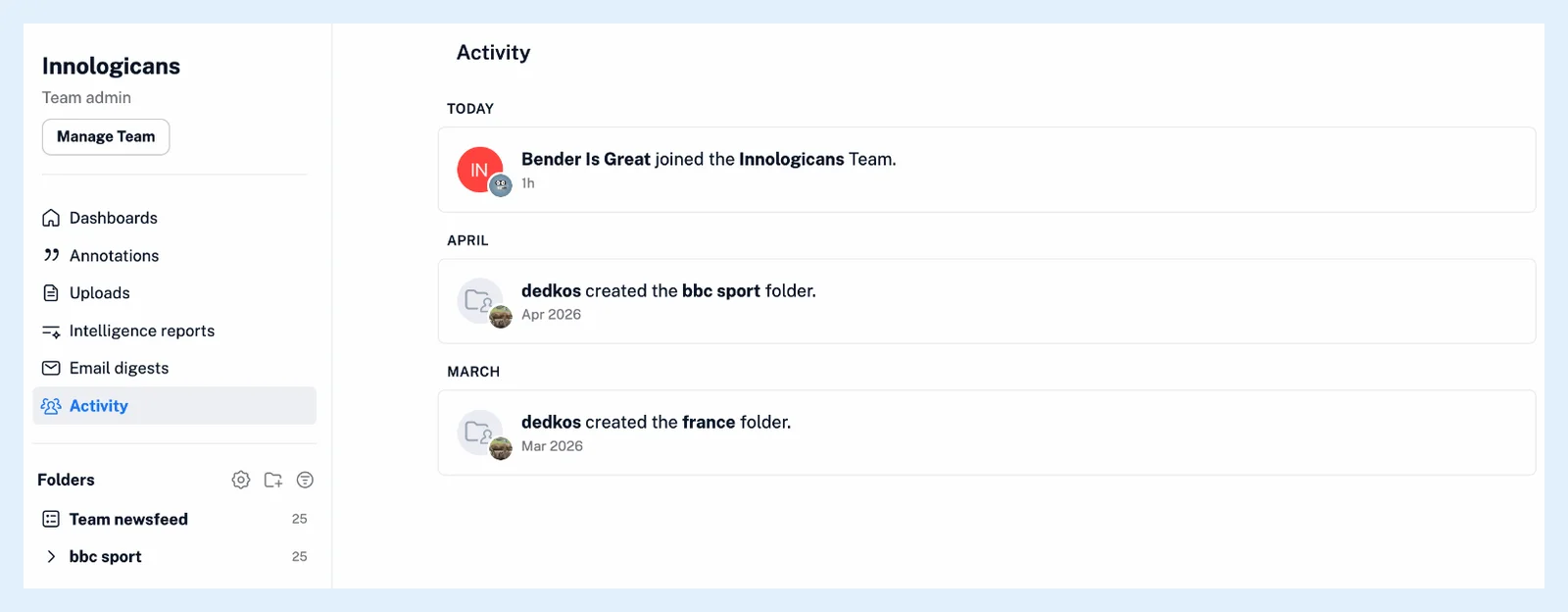
"Anna joined the Acme Team." marks a member accepting an invitation or signing in through SSO for the first time. "Anna created the Marketing channel." and "Anna deleted the Marketing channel." record the channels.
Folders, tags and digests
Team folders and Team tags appear when they're created or deleted, as "Anna created the Competitors folder." or "Anna deleted the Launches tag.". What are Team folders? explains the folders. Team email digests appear when they're created or deleted and each time one is sent, with the number of articles and recipients. What is an email digest? covers digests.
Who sees what
Share and comment entries show only to the members of that channel. Every other entry shows to every member of the Team. Where can I see what my Team is doing? shows where the timeline is and how its entries are grouped.
Plans
Activity comes with the Team and Team Intelligence plans as part of Teams.
Can't find an answer? Contact support