How do I follow Bluesky feeds?
Go to Add feed > Bluesky feed, connect your Bluesky account with an app password, then type a keyword, an @handle or a profile address, or paste https://bsky.app for your Home timeline, and click Follow. Bluesky feeds are a Pro feature.
Connect your Bluesky account
- Click Add feed in the tab bar and choose Bluesky feed.
- Click Connect your Bluesky account.
- In Bluesky, create an app password under Settings > App passwords.
- Back in Inoreader, enter your Username or email address and the App password, and click Connect. A self-hosted account picks Custom under Hosting provider: and enters its Server address:.
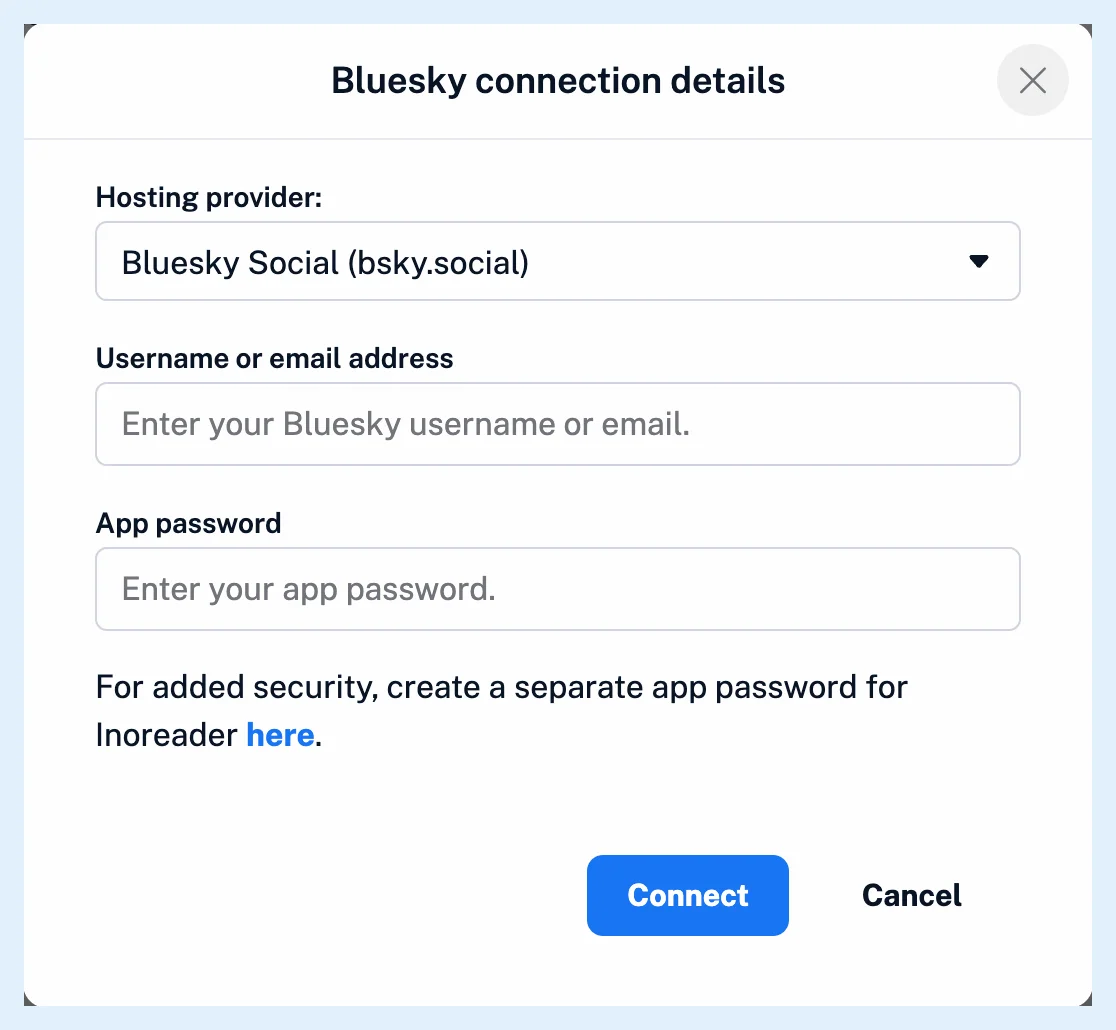
Create a separate app password for Inoreader rather than reusing one. Inoreader keeps it to sign in again when the session needs renewing, and you can revoke it in Bluesky at any time.
Follow a search, an account or your timeline
- Type a keyword or a #hashtag for a search-results feed, an @handle or a bsky.app profile address for an account, or https://bsky.app for your Home timeline, and press Enter.
- Click Follow next to the result you want. A keyword also lists matching accounts under the search result.
Bluesky feeds sit in the sidebar like any feed and belong to your account alone. Manage them in Preferences > Content > Feeds with the type filter Bluesky feeds, and find the connection in Preferences > Share, save, login on the Social feeds tab. Where can I manage my integrations? describes that page. When your Bluesky session expires, Inoreader shows a notification that your Bluesky feeds have stopped updating, with a link to reconnect, and sends you an email about it.
Follow a Bluesky account without Pro
A Bluesky account can be followed as a plain RSS feed on any plan: paste its bsky.app profile address into Add feed > Website, as for any other feed. Such a feed has no search results or hashtags and no post previews. Those come with Pro and a connected account.
Plans and limits
Bluesky feeds are Pro: 30 per account, with Team plans sharing 100 or 150 across the team and custom plans able to add more. Can I follow social media sources in Inoreader? covers the other networks, and Find the sources worth following the other ways to find sources.
Can't find an answer? Contact support