What can Track changes monitor?
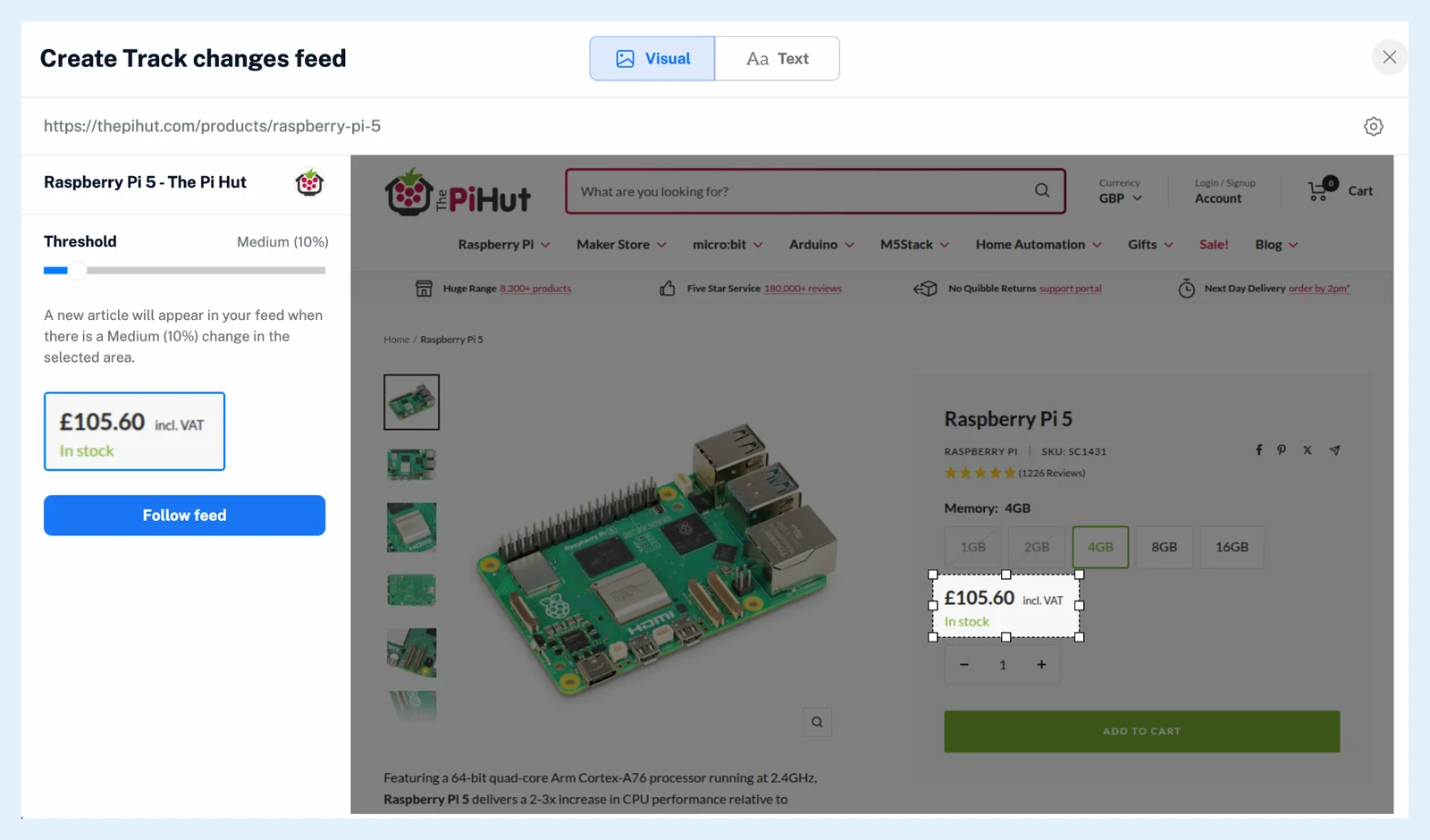
Track changes can watch any area you select on a public web page, either by how it looks (Visual: a layout, a banner, a price box) or by the text of the elements you click (Text: a price, a stock message, a date, a paragraph of terms). Each change becomes an article in the feed, and a rule can turn it into a notification or an email.
Watch how an area looks
Visual compares a rectangle you draw on the page with how it looked at the last check. A change counts when the area differs by at least the Threshold: 1 to 100%, 10% by default, named Tiny (under 10%), Medium (10 to 24%), Major (25 to 49%) and Gigantic (50% and up). A change article shows the difference in percent with a Visit site link. Raise the threshold later as Minimum image difference in Feed properties when the feed reports more small changes than you want.
Watch the words in an element
Text compares the text of the elements you click: a price, an "in stock" message, a date, a schedule line or a paragraph of terms. Use Control+Click (⌘+Click on a Mac) to select several. A new article arrives when any of them changes, with added words in green and removed words in red.
Prepare the page first
Page settings in the builder lets you watch the desktop or the mobile version of the page under Page layout, and clear banners and overlays with Remove cookie consent and Select & remove element before you select. Each feed watches one rectangle or one set of elements. The steps are in how to create a Track changes feed.
Follow a list with a Web feed instead
Track changes watches something that is updated in place. To follow new entries in a list, such as headlines or job posts, use a Web feed. See whether to use Web feeds or Track changes.
Inoreader checks the page at least every hour on Pro while the feed is active, so a change appears at the next check rather than the moment it happens. For a push notification or an email per change, right-click the feed and choose Create rule. See what actions rules can perform.
Plans and limits
Track changes is a Pro feature: Pro includes 20 Web feeds and Track changes feeds together, and Team plans share one pool across the team. Follow any website, even without a feed and the post Improved Web feeds & Track changes show it in more detail.
Can't find an answer? Contact support