What is a Team dashboard?
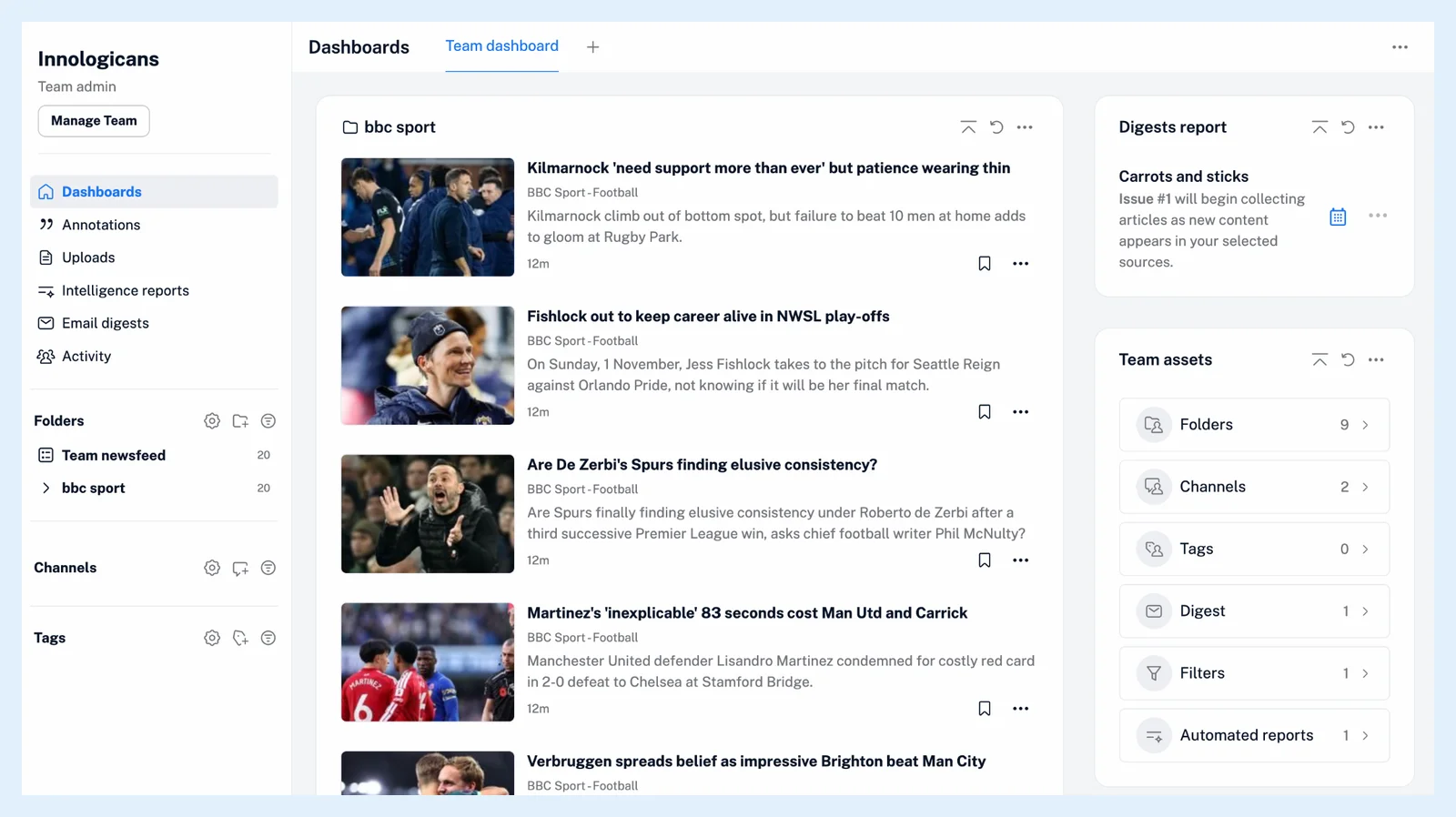
A Team dashboard is a dashboard every member of the Team sees, built from widgets that show what the Team is reading and working on. Click Team in the tab bar to open it, or click Dashboards in the Team sidebar.
Team dashboards belong to the Team, not to a person, so every member lists the same ones. Every Team starts with one named Team dashboard, created by Inoreader. The first time an admin edits it, a copy owned by the Team replaces it for everyone.
Switch between Team dashboards
Admins can add more Team dashboards. Each one is a tab at the top of the page, the tabs that don't fit go into a More menu, and Inoreader remembers the tab you last opened. A dashboard an admin created shows Created by with the admin's name and picture in the header.
Change a Team dashboard
Only Team admins, the owner or members with the Admin role, create, clone, rename, delete or change a Team dashboard. For members it's read-only, apart from refreshing and collapsing widgets. Can I customize dashboards? lists what each role can do.
Team dashboards use their own widgets: the newest articles in a Team folder or channel, recently tagged articles, Intelligence reports, uploads, annotations, the Team's digests and links to the Team's assets. What kind of information can I see on dashboards? describes each widget.
Owners and admins see an alert above the Team dashboard when the Team reaches 90% and 100% of a shared limit.
Keep your personal dashboards
Your personal dashboards stay under Dashboards in the tab bar and are separate from the Team's. What are dashboards? explains them, and the video shows how to build one.
Plans
Team dashboards are on the Team and Team Intelligence plans, while personal dashboards are on every plan.
Can't find an answer? Contact support