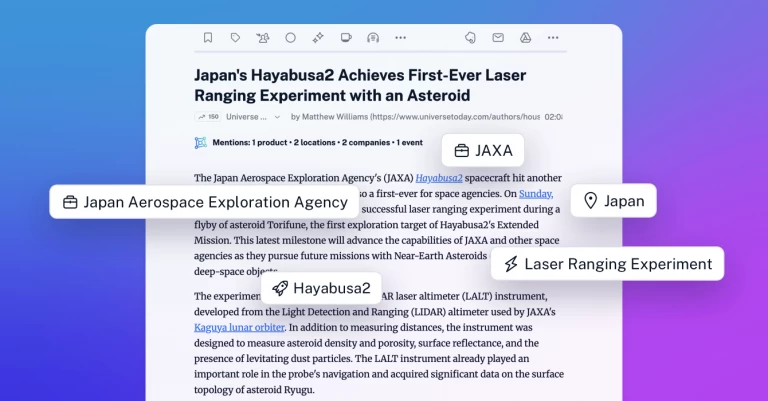
Choose your AI platform for Intelligence features
We’re introducing a major upgrade to Inoreader Intelligence, giving you full control over how your AI-powered features run. You can now choose your preferred AI platform, connect your own API keys, and select the models that best fit your needs. Whether you’re working solo or as part of a Team, this update makes Intelligence more flexible, customizable, and aligned with your existing workflows.
More choice, more control
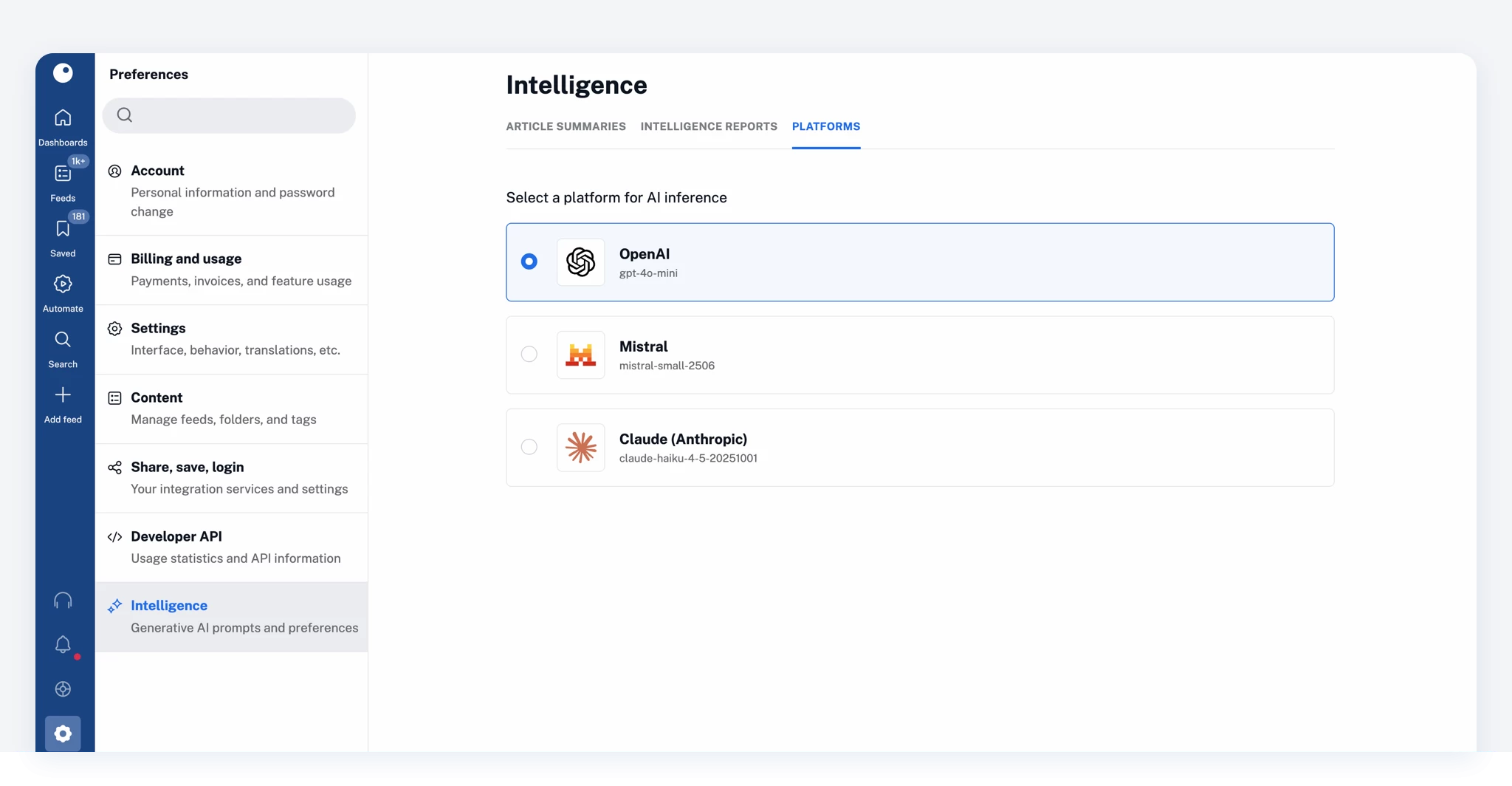
Until now, Intelligence features in Inoreader relied on a single platform. With this update, you can choose between multiple providers: OpenAI, Mistral AI, and Anthropic.
This gives you the freedom to tailor your setup based on performance, pricing, or compatibility with the tools you or your Team already use.
Set it up in seconds
To choose a platform, go to Preferences > Intelligence > Platforms. Platform selection is available to users with Pro, Custom, and Team plans.
Want to use your own account with a provider? Adding a custom API key and selecting models is available with Intelligence add-ons and Team Intelligence plans. Simply follow the on-screen instructions to connect your account.
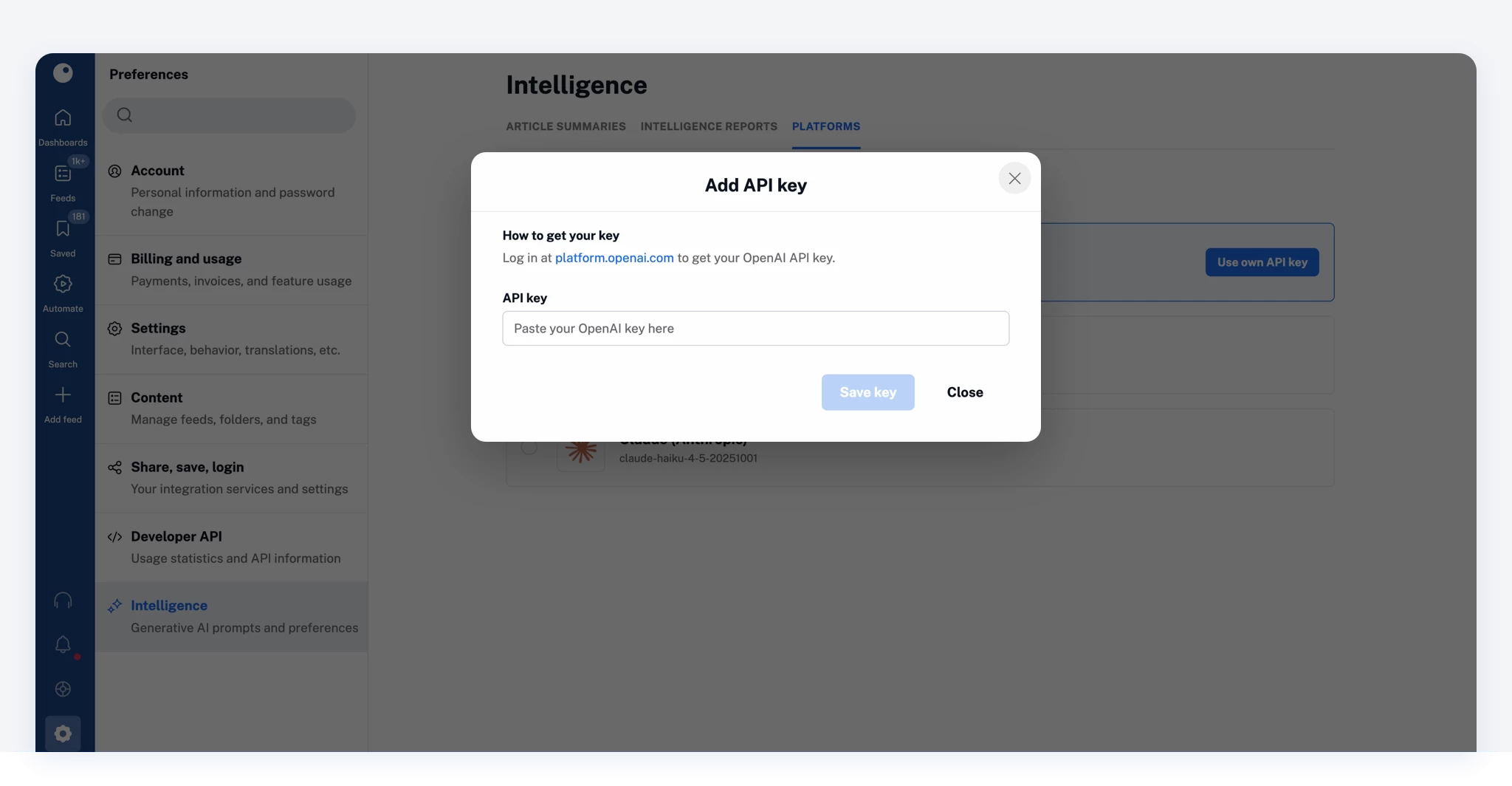
Once connected, you can:
- Manage your API key settings
- Select your preferred model
- Remove or update your key at any time
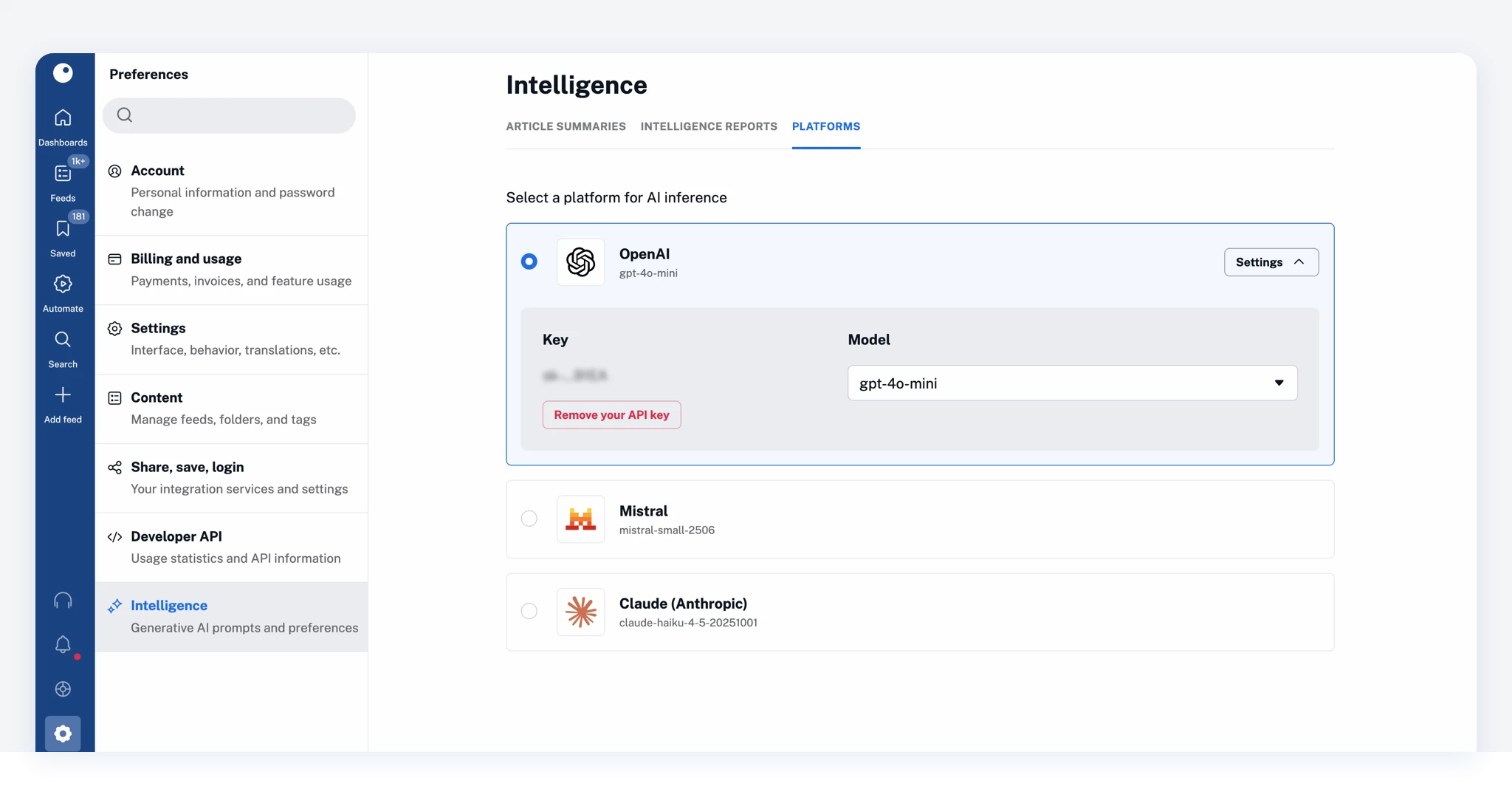
You stay in full control of how Intelligence features are powered in Inoreader.
Flexible setup for Teams
For Team Intelligence plans, platform management can be handled at the Team level.
Team owners can:
- Choose a default platform for all members
- Configure API keys and models centrally
At the same time, Team members can:
- Use the Team’s selected platform (default)
- Switch to their own preferred platform in personal preferences
This ensures consistency across the Team while allowing individual customization when needed.
Built for real-world workflows
Different Teams and users have different workflows. With this update, Inoreader adapts to your setup, not the other way around.
Use the platforms you already rely on, explore different models, and fine-tune how Intelligence features work for your specific use case, all without leaving Inoreader.
Get started
Go to Preferences > Intelligence > Platforms to choose your setup and start customizing your Intelligence experience.
Platform selection is available on Pro, Custom, and Team plans. To connect your own API key and choose models, you’ll need an Intelligence add-on or a Team Intelligence plan.
Don’t have access yet? Upgrade to unlock these capabilities.