Can I control when article translations are offered?
Yes. In Preferences > Settings > Article translations, Offer translations decides when articles get the Translate article button: Never, Always, except languages you read (the default) or Always. The same tab holds Translate articles to, the target language, and Languages you read, the languages that never get the button.
Change the settings
- Click the gear (Preferences) at the bottom of the tab bar.
- Go to Settings > Article translations.
- In Offer translations, choose Never, Always, except languages you read or Always.
- In Translate articles to, pick the language you want articles in.
- With Always, except languages you read, add your languages under Languages you read.
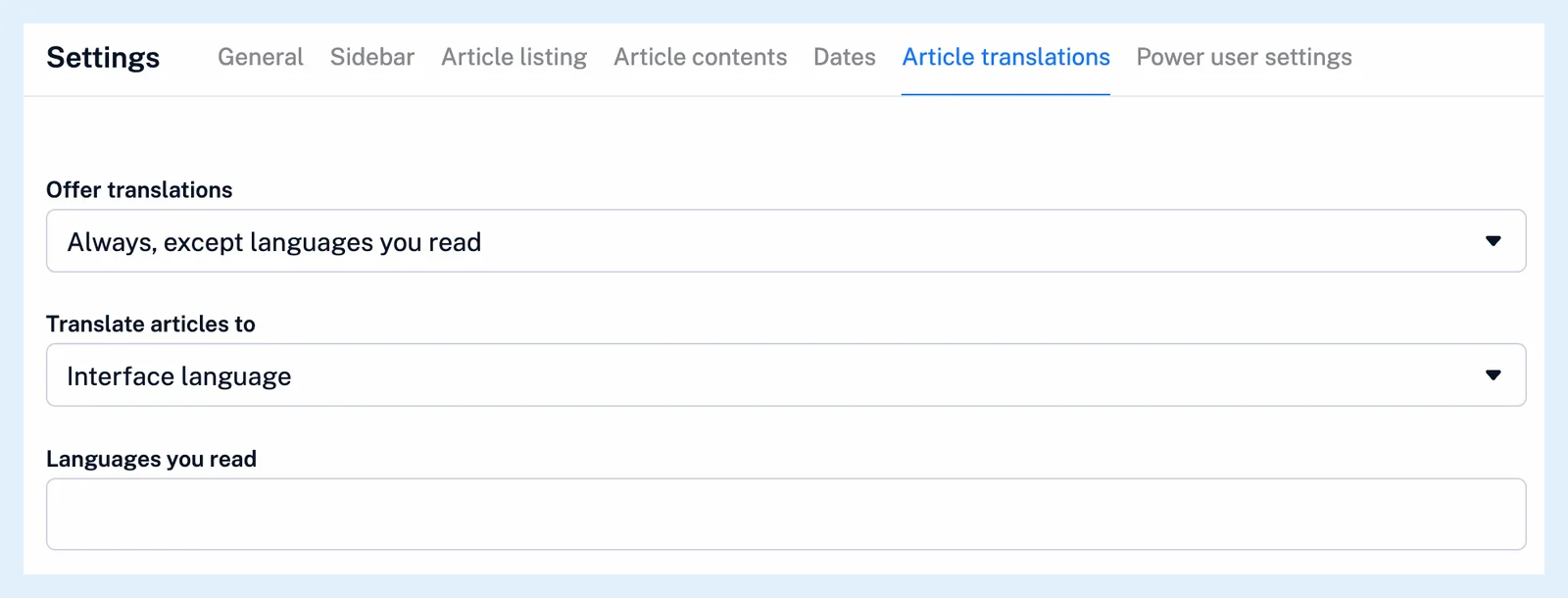
Every field saves as soon as you change it. There is no Save button. Where can I manage my account settings? shows the rest of the preferences.
The three modes
With Never, no article gets the button and Q does nothing. The other two fields are hidden. With Always, except languages you read, the button shows on every article unless its detected language is one of Languages you read. With Always, every article gets the button and Languages you read is hidden. An article whose language couldn't be detected gets the button in both Always modes, and an article you already translated keeps its bar and button whatever the setting. Why is the translation option not offered? helps when a button is missing.
Set the languages
Translate articles to is Interface language by default, or any language from the list. The button and Q translate into it, as How do I translate an article? describes. Languages you read suggests the interface languages as you type, and adding or removing one saves at once. While it's empty, it stands for your interface language. The apps use the same three settings.
A rule's Translate article action has a language of its own, preselected with Translate articles to, and rules translate whatever Offer translations says.
Plans and limits
The settings are available on every plan. Free accounts see a Pro banner in this tab but can still change the settings and use their 10 translations a day. Pro has no daily limit. The feature page Read any feed in your language has an overview.
Can't find an answer? Contact support