What should I do if a Web feed cannot read a page?
While you set it up, open Page settings in the builder: turn on Enable JavaScript for pages that load their content with scripts, use Remove cookie consent or Select & remove element for banners and overlays, and switch to Manual when the AI tab finds nothing. For a Web feed that already exists and stopped updating, read the error in Feed properties. If the site changed its layout, create the Web feed again from the new page.
Fix the page in the builder
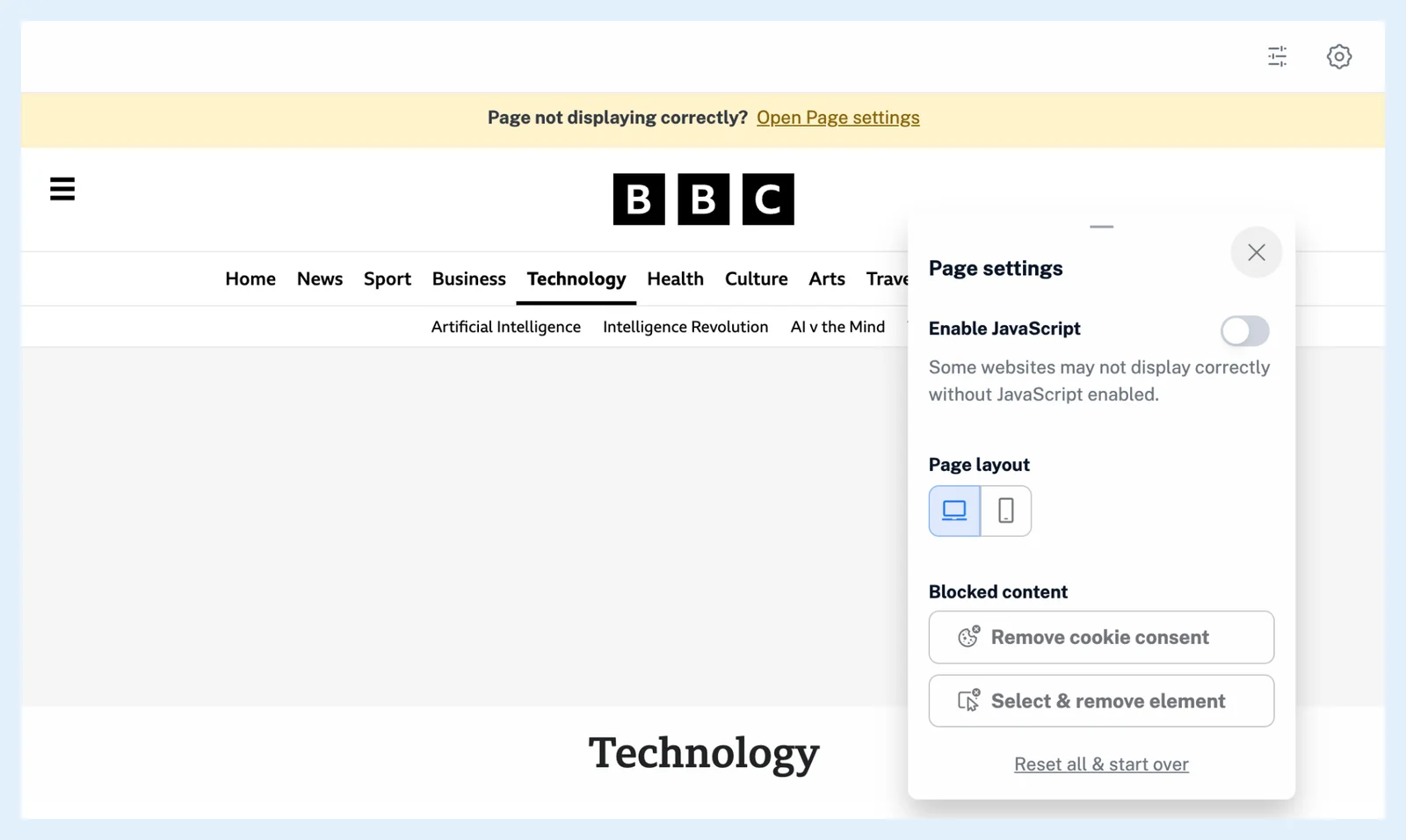
Web feeds start with JavaScript off, and a page that looks wrong in Manual mode offers Open Page settings in a bar above it.
- Click the gear icon (Page settings) and turn on Enable JavaScript.
- Under Blocked content, click Remove cookie consent, or click Select & remove element and then any overlay or promotion in the way.
- Under Page layout, switch between the desktop and the mobile view if one of them shows the list better.
Pick the list another way
If the AI tab reports that it couldn't detect any feeds, click Switch to Manual tab and click a link from the list you want. When no matching list appears under Detected feeds, open Advanced options, paste a CSS selector that matches link elements under CSS selectors and click Find matching elements. If following fails with "Sorry, we couldn't fetch this web page.", try again later.
Check a Web feed that stopped updating
A Web feed that fails a check gets a marker in the sidebar and an error in Feed properties, like any feed (why a feed has stopped updating). Inoreader checks a failing feed again with a growing wait and it recovers on its own once the page works. Press R to check it now.
The list you picked can't be edited after creation, so when the site was redesigned, create the Web feed again from the new page and unfollow the old one.
Web feeds stop updating when the account is over its plan's allowance, for example after Pro ends. The feed then shows a banner with an upgrade link.
Consider another tool
If the site has a feed after all, Add feed > Website finds it (why Inoreader can't find a feed for a website). For one changing value rather than a list, use a Track changes feed. See whether to use Web feeds or Track changes.
Plans and limits
Web feeds are a Pro feature, with 20 Web feeds and Track changes feeds together on Pro (Follow any website, even without a feed).
Can't find an answer? Contact support