Can one feed belong to multiple folders?
Yes. A feed can be in as many folders as you like, and its articles then appear in each of them. A news site can sit in your Technology folder and your Morning read folder at the same time.
Add a feed to several folders
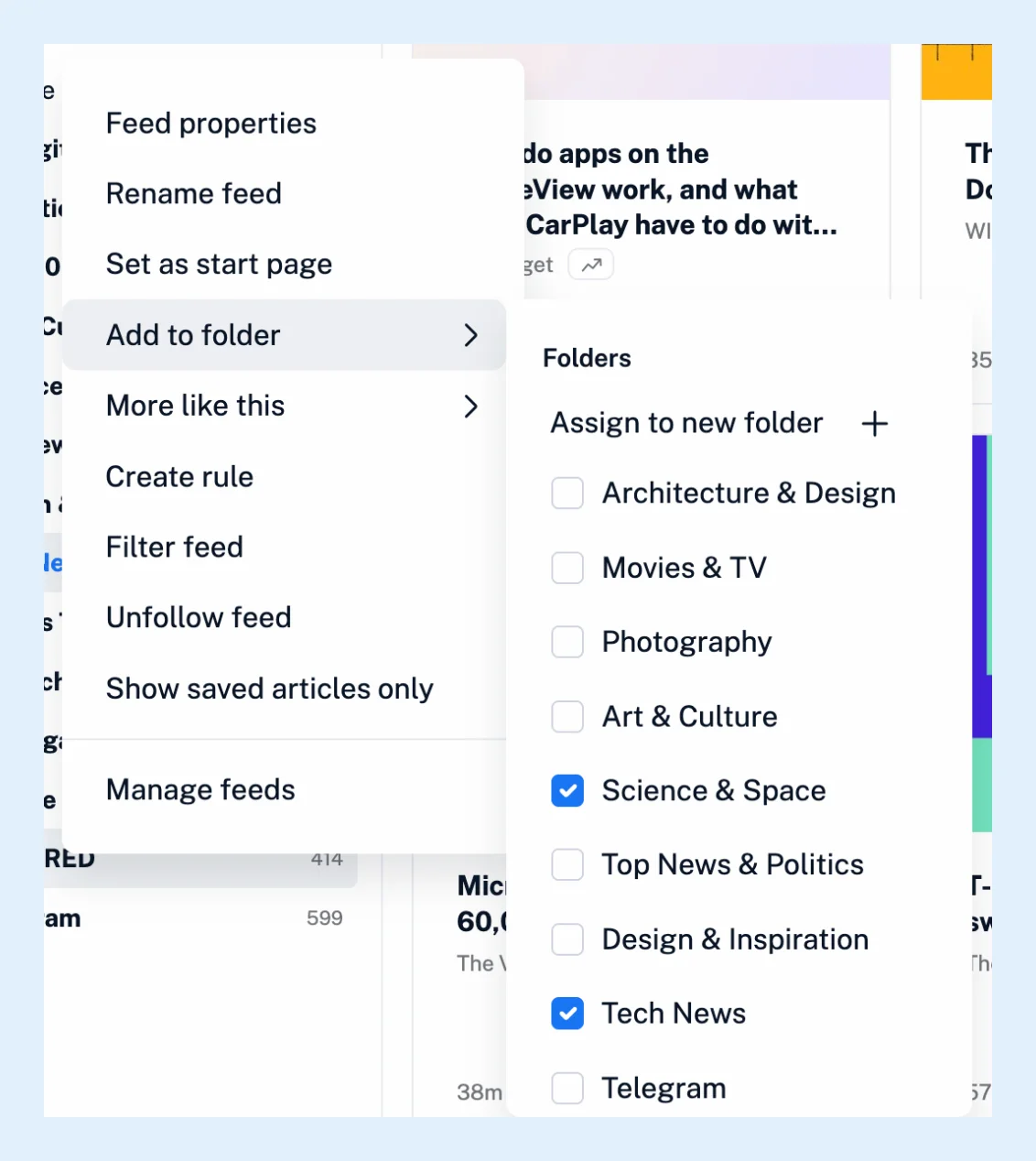
- Right-click the feed in the sidebar and choose Add to folder.
- Tick every folder the feed belongs in. The change is saved as you tick.
- To put it in a folder that doesn't exist yet, choose Assign to new folder and name it, one of the ways to create a folder.
To do the same for many feeds, open Manage content from the icon next to the Feeds heading, select the feeds in the Feeds tab, pick a folder under Add to folder and click Go. Dragging a feed in the sidebar is different: a drag moves the feed from one folder to another rather than adding a second one.
Read marks and tags across folders
However many folders a feed is in, you follow it once. Reading an article in one folder marks it as read in the others, a star or a tag on it shows everywhere, and unfollowing the feed takes it out of every folder. Each folder's unread count includes the feed, so the same unread article counts in both folders until you read it.
Take a feed out of a folder
Untick the folder under Add to folder, or drag the feed out of it. A feed that's in no folder stays at the top level of the sidebar, and a folder left without feeds is removed automatically.
Team folders
On Team plans, Team folders are set up by the team admins, so Add to folder lists your own folders only. The Folders and tags feature page gives an overview of both.
Can't find an answer? Contact support