Can I use custom prompts with summaries?
Yes, in two ways. Type a one-off question into Ask specific question at the top of the Summarize menu, or save a prompt you use often under Preferences > Intelligence > Article summaries. Saved prompts appear in the Summarize menu, and one of them can be your default.
Ask a one-off question
- Open an article and click the Summarize icon in its toolbar, or the arrow next to Summarize under the title.
- Type your question in Ask specific question and press Enter.
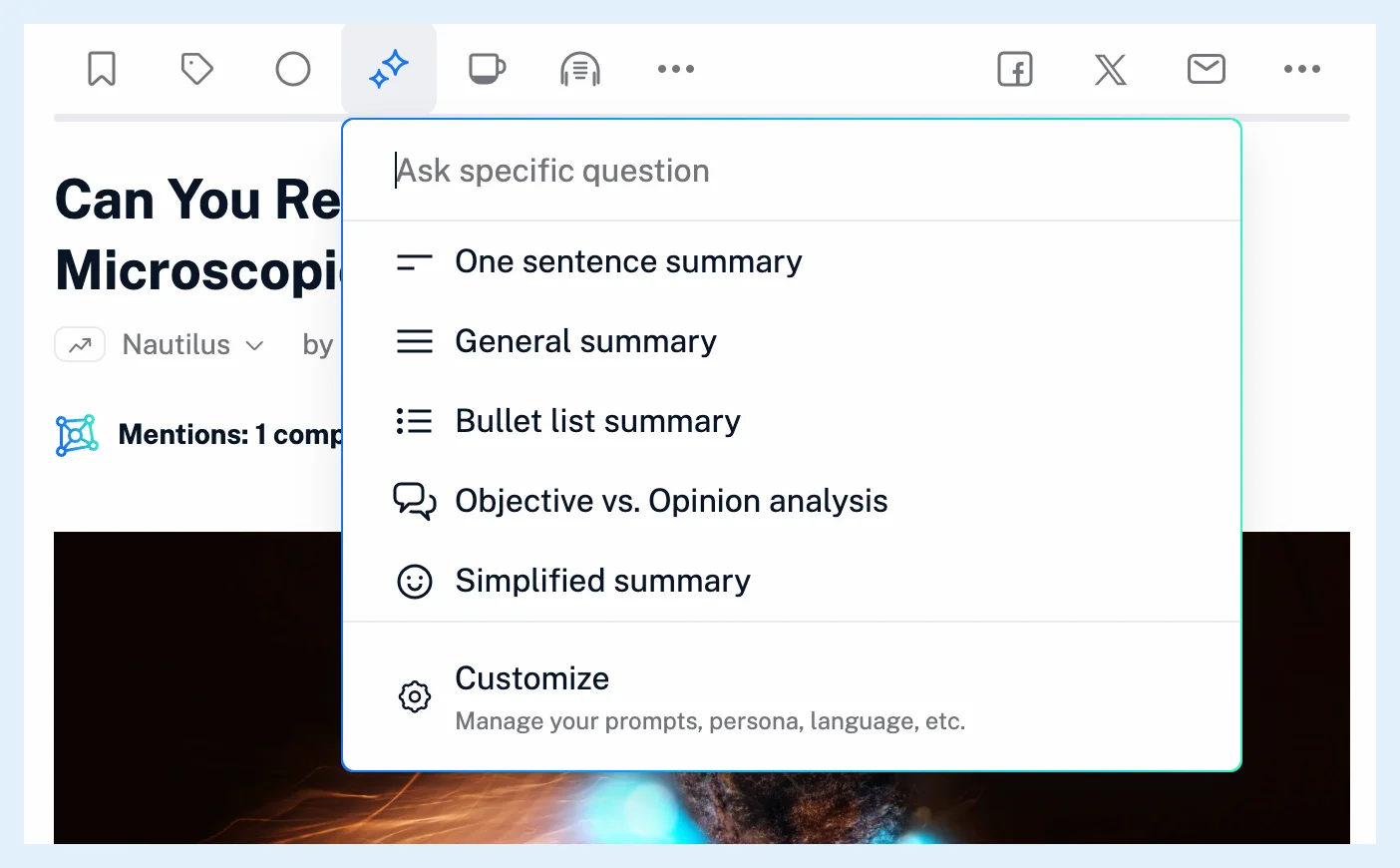
The question needs at least three words. Its card is titled Custom summary, and hovering the info icon shows the question you asked. The model answers from the article alone.
Save a prompt
- Go to Preferences > Intelligence > Article summaries.
- Under Prompts, click Add custom prompt.
- Enter a Prompt name and type your prompt, then click Save prompt.
- Select it under Default if it should run with one click, or use the pin icon under Show in dropdown to show or hide it in the menu.
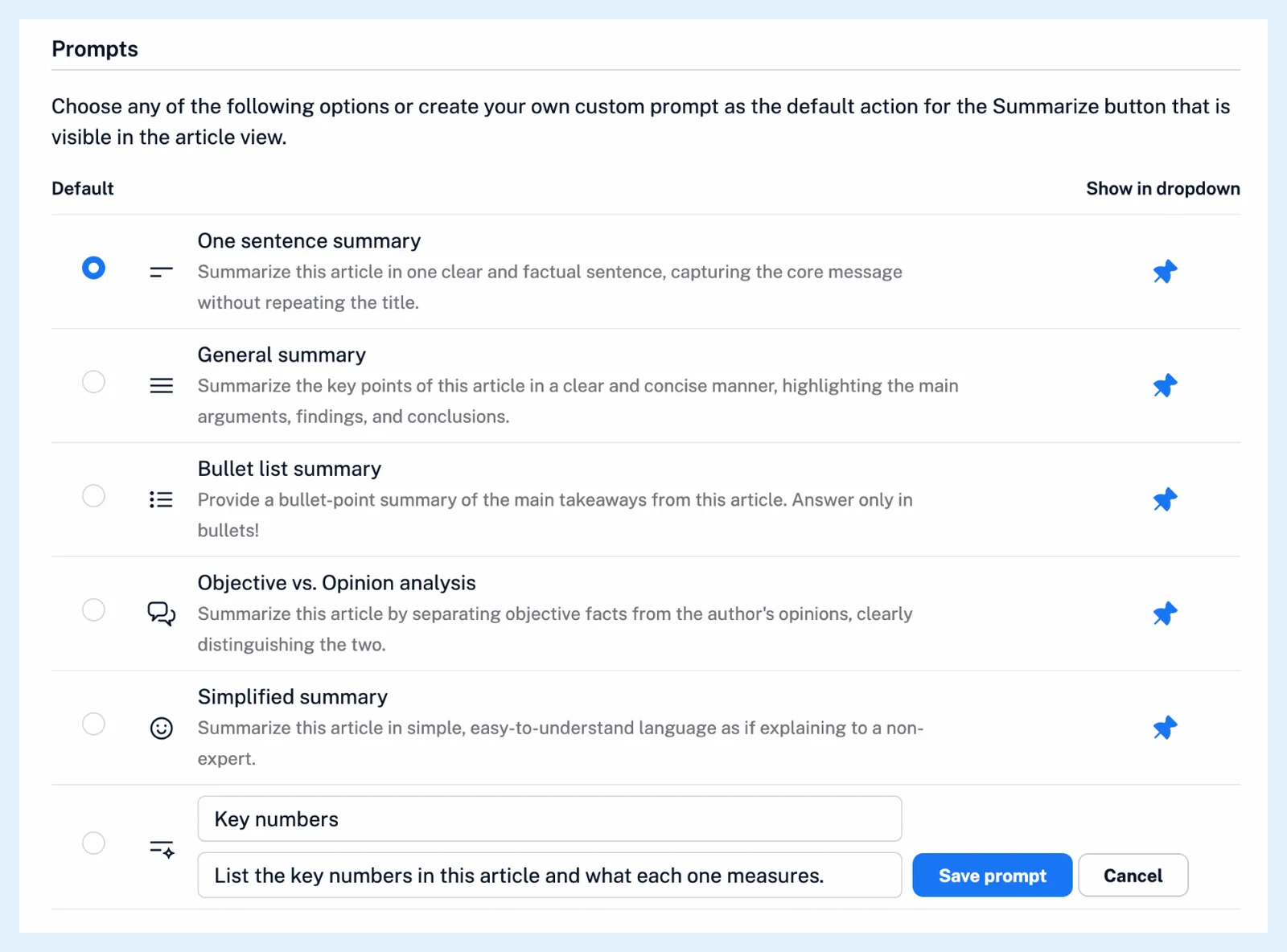
A new prompt is pinned, so it shows in the Summarize menu at once. Your own prompts have Edit prompt and Delete prompt. The built-in prompts can't be edited or deleted, but you can pin them, reorder them or make one the default. Drag rows to reorder the menu. With Full button under title, your default prompt runs on one click of Summarize, as How do I generate a summary? describes.
What applies to your prompts
Your Assistant persona is added to built-in and saved prompts, but not to a one-off question. The Default language applies to both. Can I customize how summaries work? explains the two settings. Deleting a saved prompt keeps the summaries you made with it, and if it was your default, the first built-in prompt takes its place.
A rule with the action Create summary runs any of your prompts on new articles, as described in What actions can rules perform?. Intelligence reports have their own prompt list under the Intelligence reports tab.
Plans
Saving prompts, pinning and reordering them and choosing a default are part of Pro, and Free and Supporter accounts see the list disabled with a Pro notice. The Intelligence feature page shows what Pro includes.
Can't find an answer? Contact support