Can I use mentions in rules and filters?
Yes. In a rule or a filter, add a condition, choose List of mentions as the field and search for the mention. The condition is contains or doesn't contain. The quickest way to start a rule is the rule button in a mention's card, which opens a new rule with that mention already in its condition.
Start a rule from a mention
- Hover a mention in an article to open its card.
- Click the rule button, Create rule for this mention.
- Choose where the rule runs and what it does, name it and save.
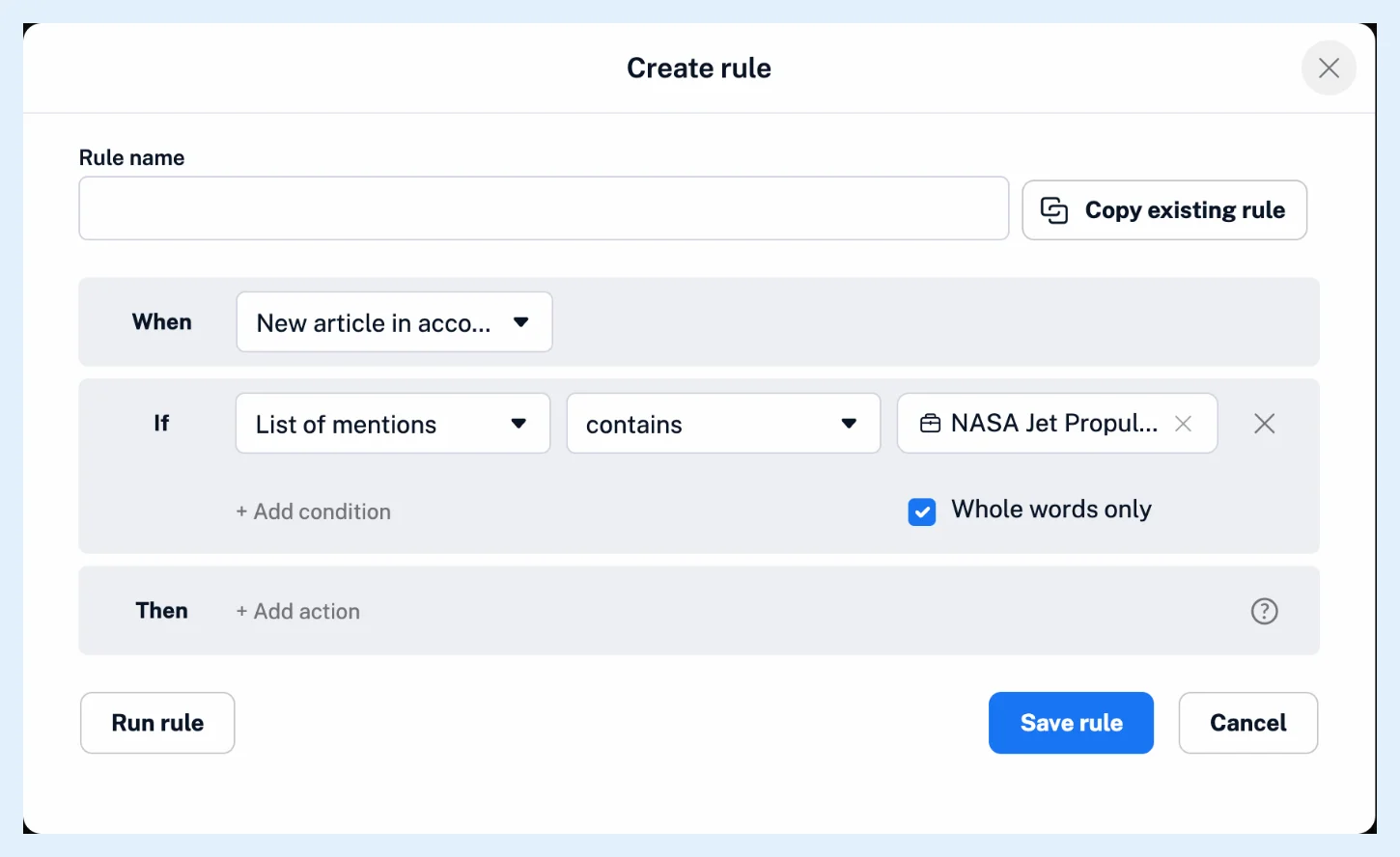
Add the condition yourself
- Create a rule under Automate > Rules, or a filter by right-clicking a feed and choosing Filter feed.
- Add a condition and choose List of mentions as its field.
- Keep contains, or choose doesn't contain, type the name in Search for a mention... and pick it from the suggestions.
- Finish the rule's actions, or choose Remove articles or Keep articles for a filter, and save.
List of mentions is the last field in the list. With it, the text box becomes a search box with suggestions, and the mention you pick shows as a pill with its type icon and an x to remove it. A condition holds one mention, so add another condition for a second mention. The rule can then do anything a rule does with a match, such as assign a tag, send it to your email or push a notification. What conditions can rules use? lists the other fields, and What are rules? and What are filters? cover the two features.
The articles a mention condition matches
The condition matches the mention itself, so it also catches its other spellings and variants. Rules and filters read the mentions Inoreader recognized when the article arrived, which means only English, French or German articles from eligible feeds can match, newsletter emails with a Pro follower included.
A mention condition never matches an article in which the mention wasn't recognized. Add a keyword condition joined with Or to cover those articles too.
Plans
Rules and filters are Pro features: Pro includes 30 rules and 50 filters, and Free has none.
Can't find an answer? Contact support