Can I filter Global search results?
Yes. After a search on All public feeds, the row above the results has Language, Match, Order and Specific period, and the scope list narrows the sources to All sites, Popular sites, Most popular sites or a Featured Collection.
Pick the sources
- Click Search in the tab bar, switch Search in to All public feeds and run a search.
- Pick the sources in the scope list: All sites, Popular sites, Most popular sites or a collection under Featured Collections.
- In the row above the results, set Language, Match, Order or Specific period.
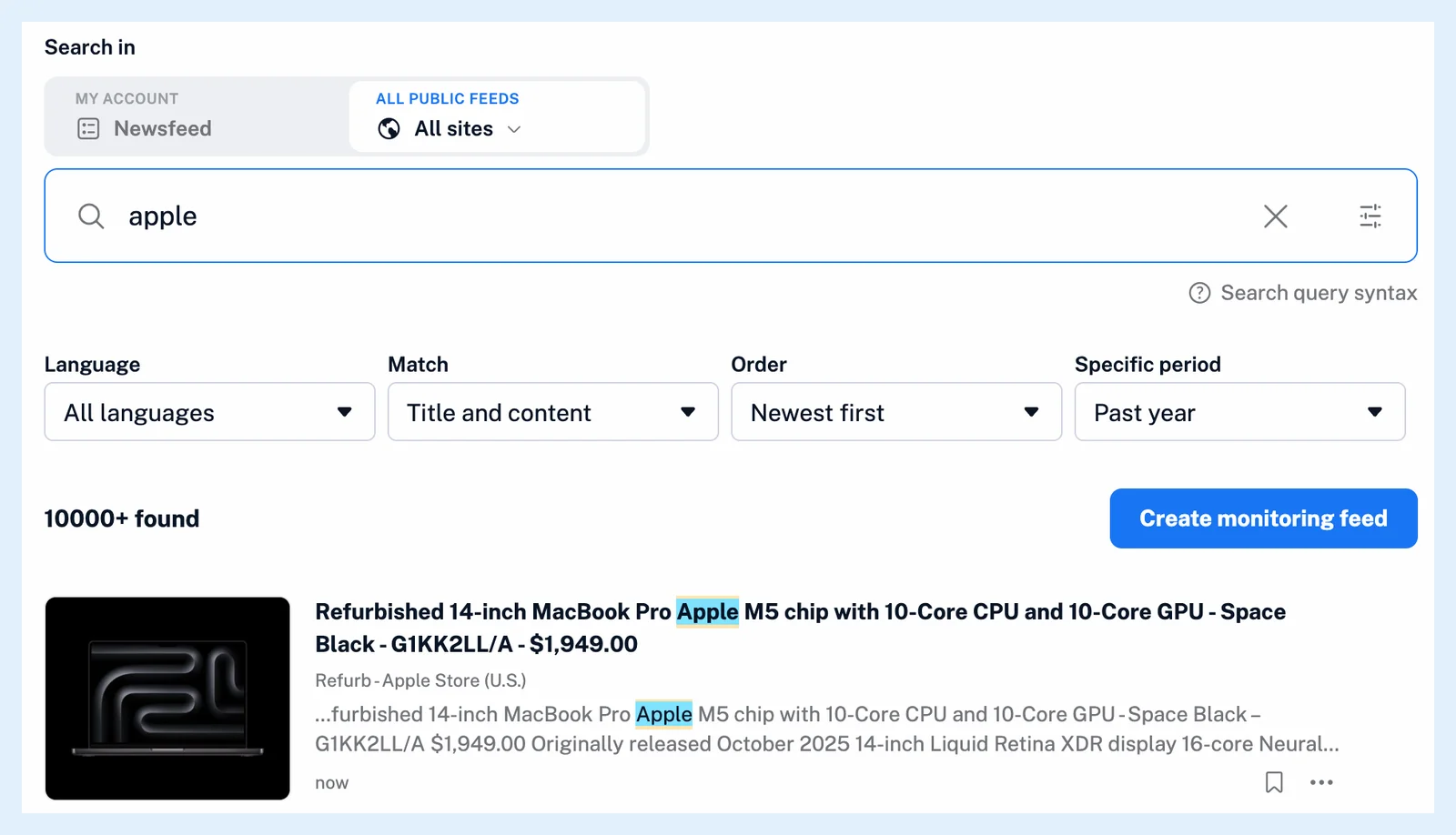
All sites covers every public feed with at least three followers plus the feeds you follow, Popular sites feeds with 100 or more followers and Most popular sites feeds with 1,000 or more. A Featured Collection keeps to one collection's feeds. Inoreader remembers your choice for the next search. What is Global search? describes the public tab as a whole.
Set the filters
The filter row appears once a search has results. Language offers All languages or one language. Match is Title and content by default, or Titles only or Content only. Order is Newest first by default, or Oldest first or Best matches first. Specific period is Past 24 hours, Past week, Past month, Past year (the default), All time or Custom interval with a start and an end date. The same filters work on My account, as Can I filter search results? describes.
Use the query builder
Click the Build your search query icon in the search box to set everything in one place: Search in, the language, match, order and period, and the query rows that combine your words with + OR, + AND and - NOT. Show results runs the search. How can I combine search conditions? explains the operators the rows stand for.
Keep the filters in a monitoring feed
When you click Create monitoring feed next to the result count, the feed keeps the scope and the Language and Match filters. Order and Specific period aren't kept, because a monitoring feed collects new articles as they arrive.
Plans and limits
The All public feeds tab and the Language filter are Pro features: on Free the public tab shows one result and an upgrade prompt. The feature page Find any article in your feeds and beyond has an overview, and the blog post Discover quality content with our new Global search update introduces the source scopes.
Can't find an answer? Contact support