How do I check a feed with the validator?
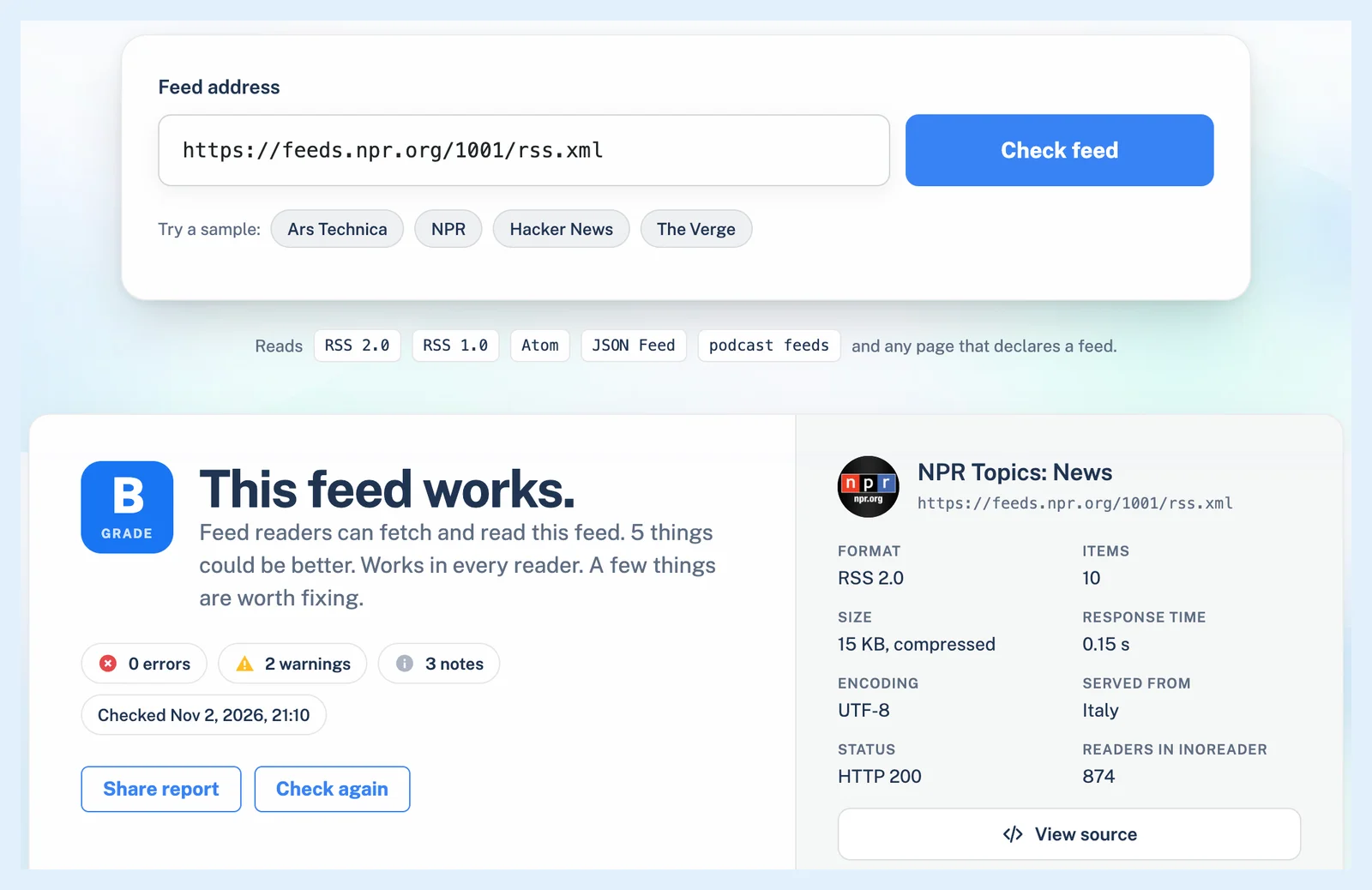
Open the RSS feed validator, paste the feed's address into Feed address and click Check feed. Inoreader fetches the feed the way a feed reader does and shows a verdict, a grade from S to F and a Fix for every problem it finds.
The validator is free and needs no account. It reads RSS, Atom, JSON Feed and podcast feeds, and a website's address works too, since the validator follows the feed the page declares.
Run a check
- Open the RSS feed validator, or RSS tools > Feed validator on any inoreader.com page.
- Paste the feed's address, or the website's, into Feed address.
- Click Check feed and wait a few seconds, or up to a minute for a slow server.
The check is a single fetch from our feed fetchers, and Inoreader keeps nothing about the feed from it. A repeat check within ten minutes shows the same report marked "(cached)".
Read the report
The verdict says whether the feed works, works with repairs or doesn't work, and the grade sums up the findings: S means there's nothing to fix, and any error means D or lower. The card beside it lists the feed's format, items, size, response time and readers in Inoreader, with View source for the fetched document.
The rail leads to the sections: Delivery for the server's answer, headers and certificate, Document for the encoding, the XML, the format and every repair Inoreader had to make, Items for the ids, dates, links, images and enclosures, and Real-time for the WebSub hub. The report also has Preview, and Audience for a feed Inoreader's readers follow. A feed Inoreader already checks for its readers also gets an Updates section with its last 48 hours of checks, explained in Why does Inoreader fetch my feed, and how often?.
Each row names what was found, tagged Error, Warning, Note or Repaired, with Show in source when it points at a place in the document and a Fix box with the change to make, often linking to a guide such as An RSS feed example, explained.
Share the report and check again
Click Share report > Create a link within ten minutes of the check for a Report link that keeps the report for 30 days. After changing the feed, wait more than ten minutes and click Check again, or the cached report comes back.
For a podcast, use the Podcast feed validator and Check podcast, which adds a Podcast section about the artwork, the episode files and the transcripts. The feed's readers, rank and delivery over time are on Feed analytics.
Can't find an answer? Contact support