What is Feed analytics?
Feed analytics is a free public page for a feed. It shows how many Inoreader readers follow the feed, how it ranks among feeds on the same topic, when it publishes and how reliably Inoreader fetched it in the last two days.
Anyone can look a feed up, with no Inoreader account, and the feed's publisher can claim it for a private view with the full history.
Look a feed up
- Open Feed analytics.
- Type the feed's address, the website or words from the feed's name in Feed address or name.
- Click Show analytics and pick the feed if several match.
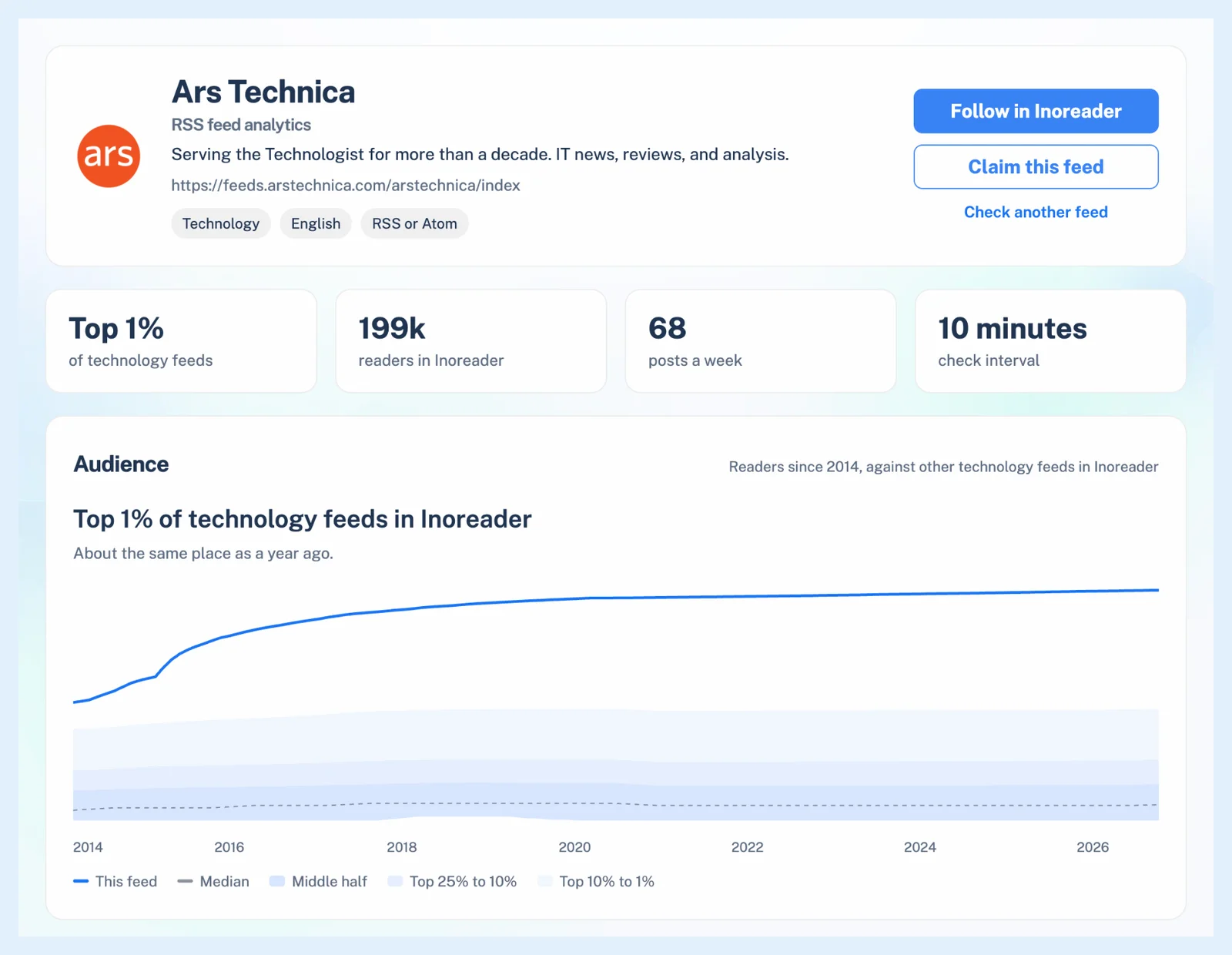
What the page shows
The header names the feed, its topic, language and format, with Follow in Inoreader and Claim this feed. Four tiles show the feed's rank in its topic, its readers in Inoreader, its posts a week and its check interval, or Real-time when posts arrive by WebSub.
The Audience card plots the feed's readers over the years against the other feeds on its topic, and Top RSS feeds by topic lists the most followed ones.
Publishing schedule counts the posts of the last 30 days and shows the weekdays and hours they arrive. Delivery covers the last two days of Inoreader's checks, from the success rate and response time to 304 answers and real-time delivery, with a link to the full report in the feed validator. Topics, Readers also follow and More feeds from the same site lead to related feeds.
Which feeds have a page
RSS, Atom and JSON feeds with at least 10 Inoreader readers have a page. Newsletters, monitoring feeds, Web feeds, social feeds, feeds with a private address and feeds whose publisher asked for removal have none. A feed without a page can still be checked with the feed validator.
The publisher view
The feed's publisher can claim it with a code in the feed or on the site's domain. The publisher view adds the full subscriber history, which posts readers save, like, share and highlight, where new readers came from, 30 days of delivery checks and CSV downloads, plus email alerts when the feed breaks or stops publishing and a weekly summary. How do I claim my feed? walks through the claim, and Why does Inoreader fetch my feed, and how often? explains the check interval.
The public pages and the publisher view are free. Claiming a feed needs a free Inoreader account.
Can't find an answer? Contact support