What is an email digest?
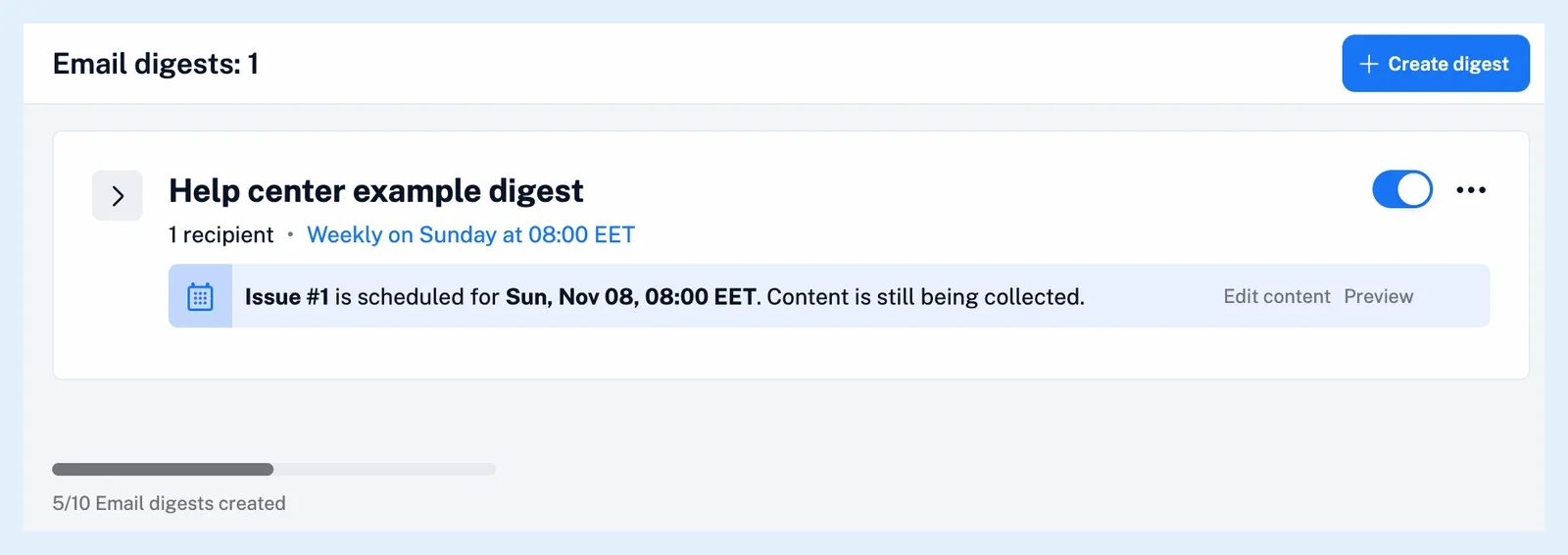
An email digest is a recurring email that Inoreader builds from the articles in sources you choose and sends on a schedule to the people you invite. Each issue holds the articles that arrived since the previous one, and you can preview it, edit it before it goes out and see who opened it.
Your digests live under Automate > Email digests in the tab bar. A digest that belongs to your team is listed in the Team sidebar instead.
What goes into an issue
A source can be a feed, a folder, a tag, a Saved list or a Team channel. At the send time Inoreader collects the articles from each source that arrived after the previous issue and builds the email from them. The Simple template takes up to 20 articles, newest first. When the sources had no new articles, nothing is sent that time and the schedule moves on. An issue can also carry AI summaries of each article, a section or the whole issue.
Choose a layout
You pick a template when you create the digest. Simple is a clean layout with your title and description at the top, followed by a list of articles from one source. Custom starts from scratch and lets you design your own layout with a mix of sources and content blocks, as Can email digest layouts be customized? describes.
Schedule, reminders and recipients
A digest goes out Daily, Weekly, Biweekly, Monthly or on the weekdays you pick with Custom, at the hour you set. A Reminder emails you before each issue, so you can take a last look at it. Recipients are email addresses: each one gets an invitation and receives issues only after accepting it, and you're subscribed to your own digest automatically. Every issue carries an unsubscribe link.
Issues come from [email protected] with the From name you set, and Digest stats shows the opens, clicks and bounces of every sent issue. How do I create an email digest? walks through the setup, and the blog post Redesigned email digests for more control and flexibility shows the current design.
Plans
Email digests are included in every Team plan and come to Pro and Custom plans with the Email digests add-on, as Are email digests available outside Team plans? explains. For a written analysis rather than a list of articles, read Should I use an Intelligence report or an email digest?.
Can't find an answer? Contact support