What are Team spotlights?
Team spotlights are spotlights that a Team admin shares with the whole Team: groups of words or phrases, each with a color, that Inoreader colors in article titles, snippets and text. Members find them in Manage Team > Spotlights and see them in their articles after turning on See Team spotlights.
What a spotlight does
A spotlight is a name, an optional description, one of 10 colors and a list of terms. It only colors text and never hides an article. The colors show in titles and snippets in article lists, in the opened article, in translated articles and in AI summaries, the same places as your personal spotlights. What are spotlights? explains the feature, and the video shows it.
Share a spotlight with the Team
Only Team admins share spotlights. On the Team spotlights page, Create spotlight opens the dialog, where you tick Make visible to Team members. On your personal Spotlights page, a spotlight's row menu has Share with Team and Stop sharing with Team. A shared spotlight stays in its creator's personal list with a Team icon, and only the creator or a Team admin can edit it. A Team spotlight its creator switches off disappears from the Team list and from members' articles. Sharing a spotlight notifies nobody.
Find and turn on Team spotlights
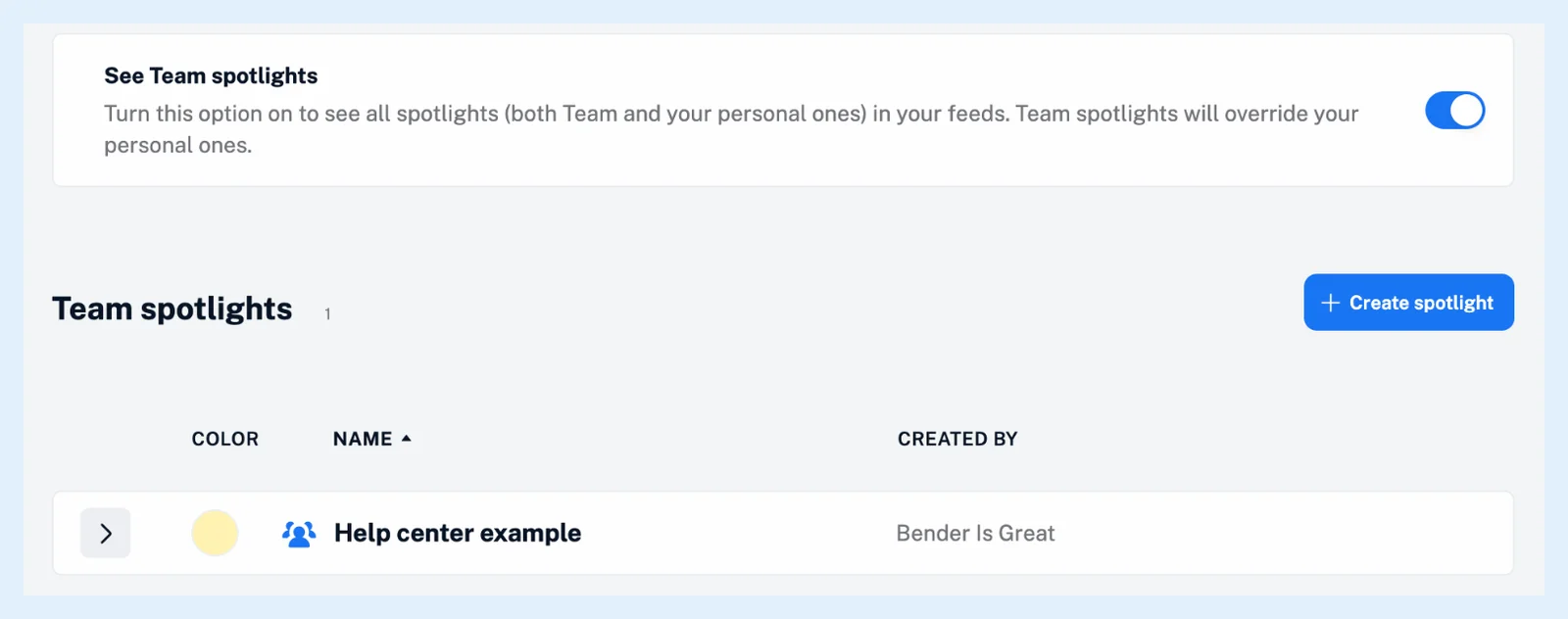
Click Team in the tab bar, then Manage Team and Spotlights. The page lists the Team's spotlights with their Color, Name and Created by. Above the list, the See Team spotlights switch turns the Team's spotlights on in your articles, together with your personal ones. It's off by default and personal to each member, as Do Team spotlights apply automatically? explains. When a word is in both a personal and a Team spotlight, the Team color is shown, as What happens if a keyword exists in both personal and Team spotlights? describes.
Plans
Team spotlights come with the Team and Team Intelligence plans, and sharing needs a Team admin. Personal spotlights are free on every plan. The feature page Make the names you care about stand out has an overview.
Can't find an answer? Contact support