What can I do with a mention?
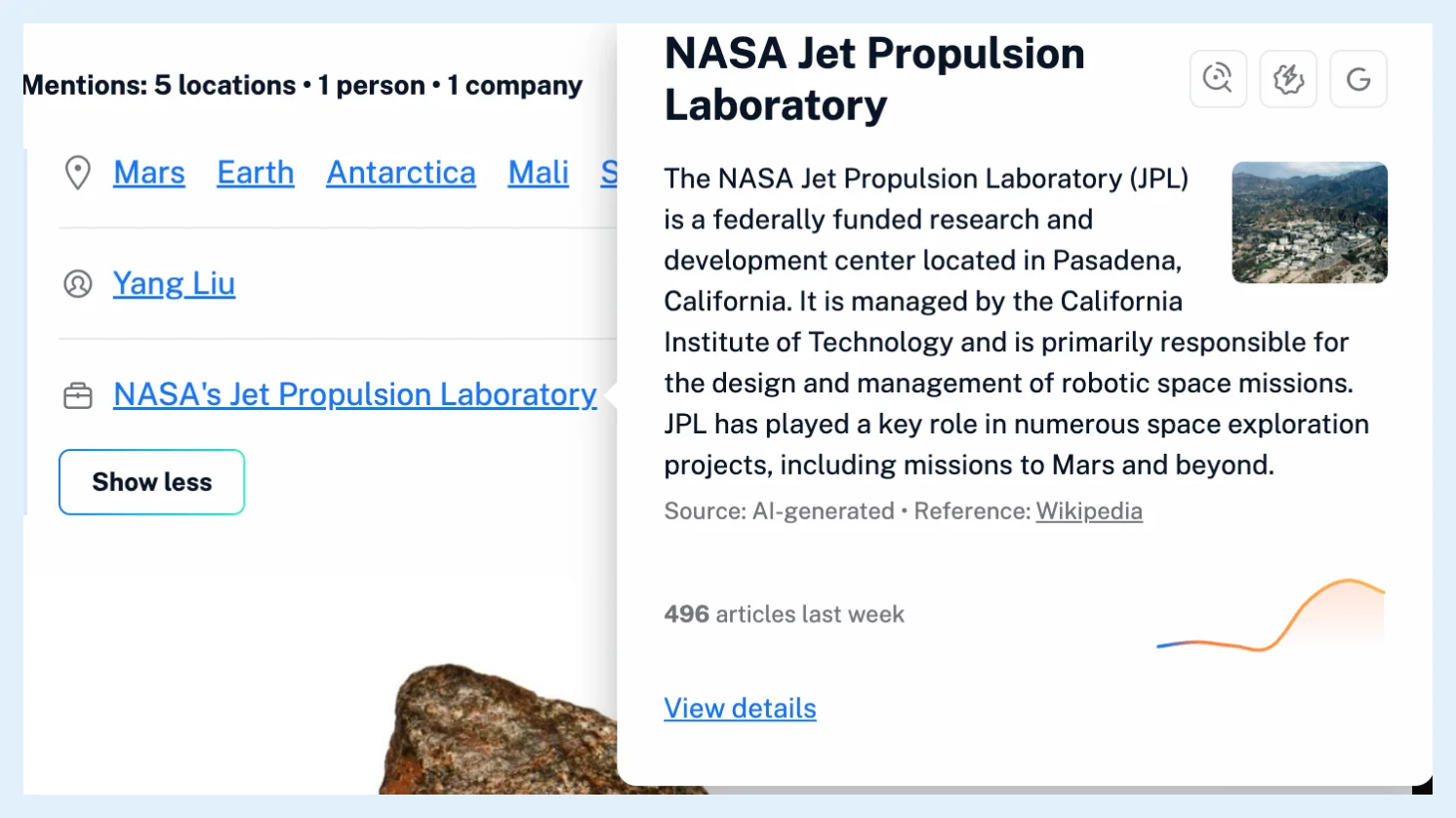
Hover a mention to open its card: a short description, how many articles named it last week and a trend line, with buttons to create a monitoring feed, create a rule and search Google for it. Click View details in the card, or the name itself, to open the mention's page with its coverage, top sources and related mentions.
Open the card
- Open an article and hover a name on the Mentions: line, after clicking See all to see every name.
- In the card, click the monitoring feed, rule or Google button, or View details.
The card opens when the pointer rests on a name for a moment and stays open while the pointer is on it. Esc closes it. The description comes from Wikipedia or is written by AI, with a picture when Wikipedia has one, and the card names its source. Under it come the number of articles that named the mention last week and a seven-day trend line. The description uses none of your monthly Intelligence tokens.
Start a monitoring feed, a rule or a search
The monitoring feed button opens the monitoring feed builder with the mention as its first item and Monitor in set to your account. Can I follow coverage of a mention? shows both ways to create the feed.
The rule button opens the rule dialog with the condition List of mentions contains this mention. Filters take the same condition from the filter dialog, as Can I use mentions in rules and filters? shows.
The Google button opens a Google search for the name in a new tab.
Open the mention's page
View details, or a click on the name in the article, opens the mention's page in the reading panel. Its Coverage tab holds the overview, the mention trend, the latest articles In your feeds and In public feeds, and a Create monitoring feed button. The About tab holds the description, Top sources and Frequently mentioned together. What information is available on a mention's details page? describes each part.
The card, the page, 30 monitoring feeds, 30 rules and 50 filters come with Pro. On Free the card opens in 3 different articles a week, Monday to Sunday, with Upgrade to view details in place of View details, and after that it shows Upgrade to Pro.
Can't find an answer? Contact support