What are Team folders?
A Team folder is a folder of feeds that a Team admin builds for the whole Team. When you follow it, its feeds are added to your account and the folder appears under Folders in the Team sidebar, and when the admin adds or removes a feed later, your copy changes with it.
Members follow and unfollow Team folders, and only admins create, edit or delete them. Unlike Team tags, which every member gets automatically, a Team folder reaches only the members who follow it.
Follow a Team folder
- Click Team in the tab bar, then Manage Team.
- Click Content, then the Folders tab.
- Click Follow on the folder's row.
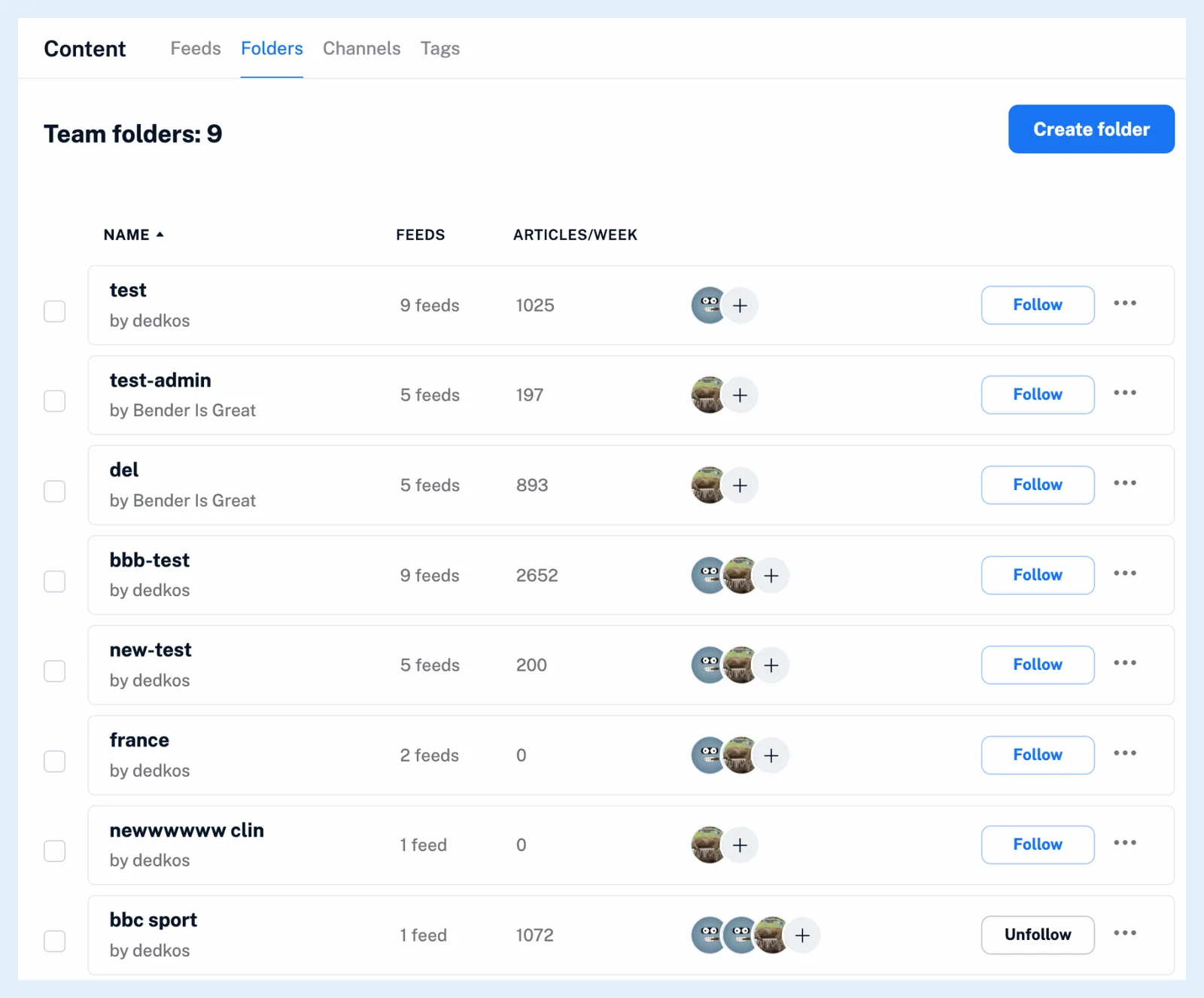
Following creates a folder with the Team folder's name in your account and subscribes you to every feed in it. The folder shows under Folders in the Team sidebar, with Team newsfeed above it, while your Newsfeed under Feeds leaves out feeds you follow only through a Team folder. An admin can also follow a folder for you from Folder members, as Do I need to add all feeds manually? explains.
Unfollowing a Team folder unfollows all the feeds it contains. A feed you also keep in a personal folder stays.
Create a Team folder
Admins click the Create Team folder icon by the Folders heading in the Team sidebar, or Create folder in Manage Team > Content > Folders, give the folder a Folder name and at least one feed under Add feeds, and click Save folder. A right-click on a personal folder offers Create Team folder to turn it into one. What types of content can Team folders include? lists the feed types.
The admin who creates a folder follows it automatically. A feed an admin adds reaches every follower, a feed an admin removes leaves every follower who keeps it in no personal folder, and renaming or deleting the folder does the same for all of them. What are Team filters? explains how an admin cleans up a Team folder for everyone, and the blog post Manage shared feeds with new Team folders introduces the feature.
Plans
Team folders are part of Teams on the Team and Team Intelligence plans. Single articles go to Team channels instead, as What is the difference between a Team folder and a Team channel? explains.
Can't find an answer? Contact support