Where can I find my tagged articles?
Your tagged articles are under Saved in the tab bar. The sidebar lists your tags below Read later, Archive, Annotations, Web pages, Uploads and Intelligence reports. Click a tag, or All tagged articles for every tagged article in one list.
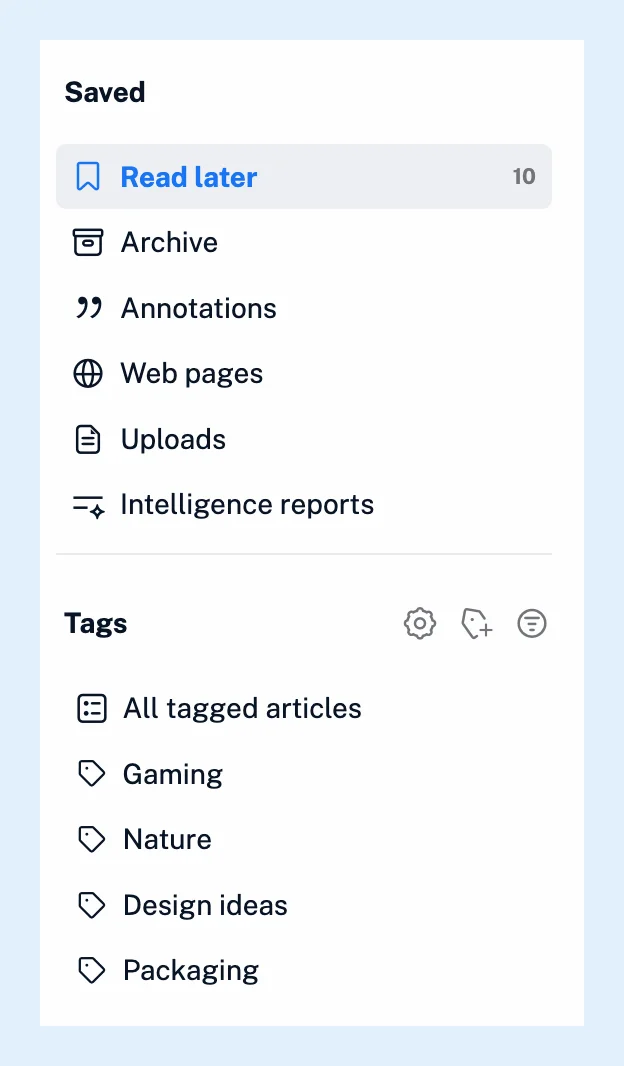
Pin tags to the sidebar
Every new tag is pinned, and only pinned tags are listed. A tag you unpin leaves the sidebar but keeps its articles, which stay in All tagged articles. To pin or unpin a tag, click the pin icon in its row on the Manage tags page, or use the Pin this tag in the sidebar switch in Tag properties, which opens from the tag's right-click menu.
Manage your tags
The Manage tags icon next to the Tags heading opens a page with every tag: its name, Total articles, today's additions and the date of the last one. Sort the list by Name, Articles today or Last article from, and Create tag adds a tag with no articles yet. Each row has the pin icon, a delete icon and a menu with Tag properties, Rename tag and Delete tag. Deleting a tag removes the label. The articles stay in your feeds and their other tags.
Open and search a tag
An open article shows its tags above its text, and a click on one opens it. How to tag an article covers adding and removing them. To search within a tag, type into the search box above its article list, or pick the tag under Search in > Tags on the Search page. Combining tags when searching explains what a search inside a tag can do.
Show read articles in tags
Tags show all their articles, read or not, unless you change Show in tags under Preferences > Settings > Article listing to Unread articles only.
Use tags elsewhere
A dashboard widget lists your recently tagged articles, from all tags or one of them. A tag can also become an output feed for your website (Pro), and Set as start page in a tag's menu makes it the page Inoreader opens to.
Plans
Tags work on every plan, and the Saved section holds them with your other lists. Output feeds are a Pro feature.
Can't find an answer? Contact support