Can I save web pages outside my feeds?
Yes. In Saved > Read later or Saved > Web pages, click Add, paste the address and click Save web page under the preview: the page becomes an article in Web pages and in Read later. You can also save the page you're on with the browser extension for Chrome, Firefox and Edge, the Save to Inoreader bookmarklet or the phone app's share menu.
Save a page in Inoreader
- Open Saved > Read later or Saved > Web pages.
- Click Add in the header.
- Paste the address into URL address. A preview (picture, title, excerpt) loads once you stop typing.
- Click Save web page. A "Saved web page" message links to the new article.
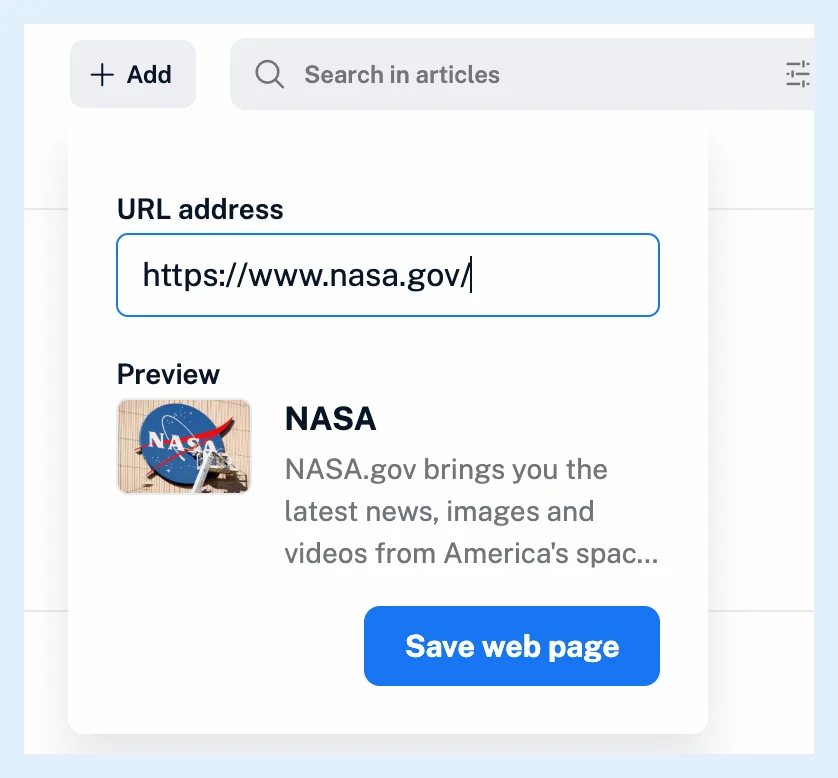
Add is also in a tag's header, and a page added there gets that tag. With Pro the menu also offers Upload file (pdf, doc, rtf, xls).
Save from your browser
Install the extension from Extensions in the Support panel. In Save current page mode its toolbar button saves the page you're on, right-clicking a page or link offers Save to Inoreader, an option sends pages to Read later or Saved Web Pages, and Highlight selection in Inoreader saves selected text as a highlight (Pro). The Save to Inoreader bookmarklet on the same page sits on your bookmarks bar and opens a small window where you pick a tag before it saves. The video shows the extension. On a phone, the app's share menu saves the page.
Read and manage saved pages
Inoreader fetches the page and extracts the article's text, or keeps the title, picture and description the page declares when that fails. A link to a file, such as a PDF, is saved as an attachment, and private or internal addresses can't be fetched. Saved pages are articles in your own "Web page" feed, so you read, tag, annotate, search, share and summarize them like any article, and a Pro rule acts on them with the New saved web page trigger. Web pages lists them newest first, and its search covers your newest 10,000 pages. In Read later a saved page is a row of the Reading list like any saved article, counted under the Articles chip, and once you start reading it the row says how much is left ("Resume (7 min left)"); What is the Saved section? shows where both lists sit. To delete one, choose Delete article in its article menu and confirm: the page leaves Web pages, Read later, the Archive, tags and highlights.
Plans and limits
Saving web pages works on every plan. File uploads, rules and highlights from the extension are Pro.
Can't find an answer? Contact support