How do I claim my feed?
Open your feed's Feed analytics page, click Claim this feed, sign in or create a free Inoreader account, and put your code in the feed or on the site's domain. Once Inoreader finds the code, View detailed analytics opens the publisher view.
Start the claim
- Open Feed analytics, search for your feed and open its page.
- Click Claim this feed.
- Click Sign in or Create a free account. You return to the claim page with your codes filled in.
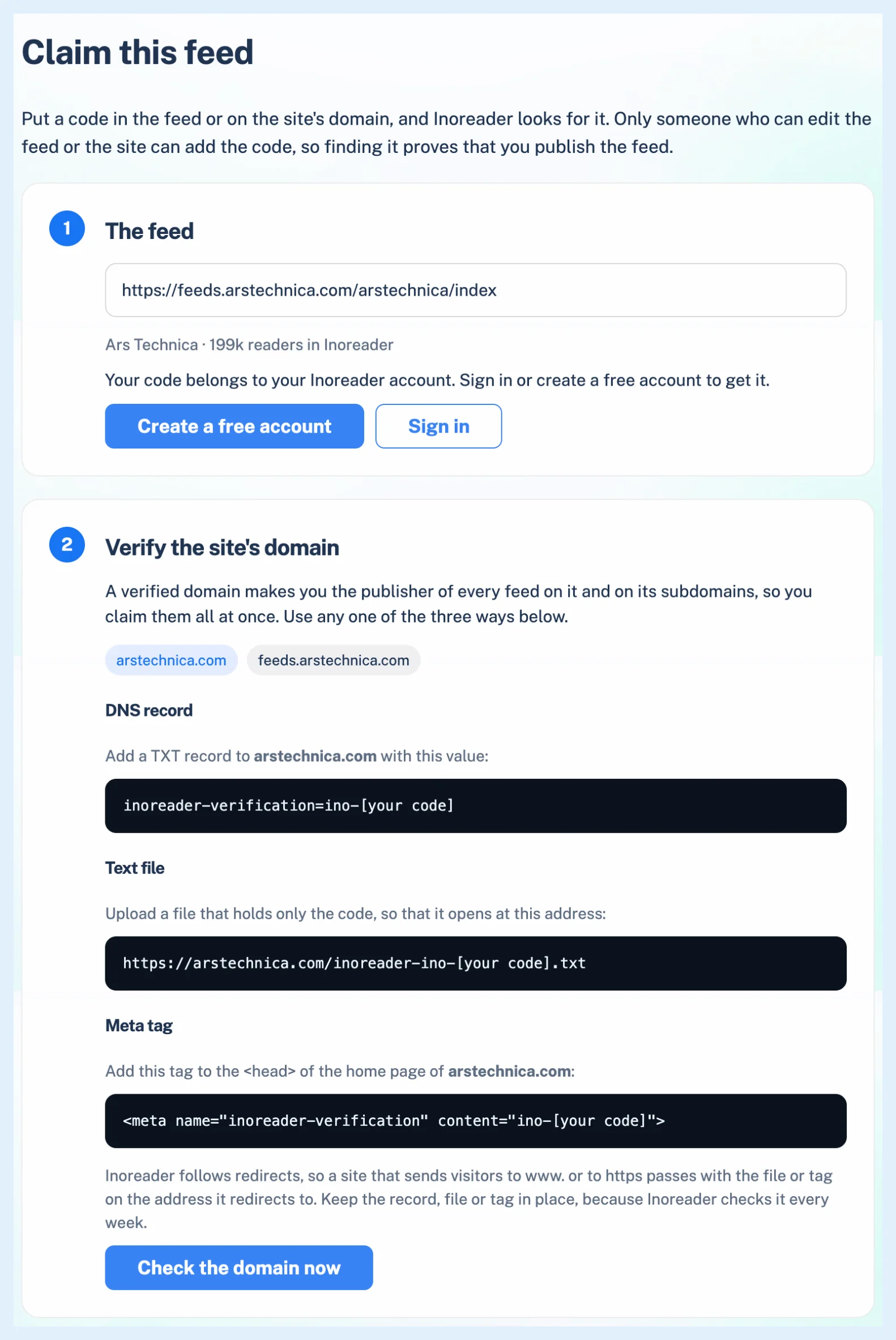
Verify the site's domain
A verified domain makes you the publisher of every feed on it and its subdomains. Pick the domain if the page offers several and use one of three ways:
- DNS record: add a TXT record to the domain with the value shown.
- Text file: upload a file holding only the code at the address shown.
- Meta tag: add the tag shown to the head of the domain's home page.
Click Check the domain now. A new DNS record can take up to an hour to appear.
Feeds on shared platforms such as Substack, Medium, WordPress.com, YouTube, podcast hosts and FeedBurner skip this step and are claimed with the code in the feed.
Add the code to the feed
This proves only this feed, for when you can edit the feed but not the site. Add the verify element shown on the page inside the feed's channel or feed element, before the first post. On a platform that lets you edit only text, add the code to the feed's description instead (the site's tagline on most blogs).
Click Check the feed now. Inoreader looks for the code before the first post, so a code in a post or a comment doesn't count. A cached copy can take a few minutes to update, and Inoreader looks again once a day for two weeks.
Keep the record, file, tag or element in place: Inoreader checks it every week and the claim lapses when it is gone. A code in the description can be removed once you are verified.
Open the publisher view
When "Code found." appears, click View detailed analytics. A verified domain covers new feeds on it at once. What is Feed analytics? describes the publisher view and its email alerts.
If the feed could not be fetched, check it with the feed validator or see why a feed has stopped updating.
Claiming and the publisher view are free on any plan.
Can't find an answer? Contact support