How can I track my Team’s usage?
In a Team with a shared pool, click Team in the tab bar, then Manage Team, choose Billing and open the Usage tab. Every pooled feature shows the Team's usage against its limit, and the arrow on a row lists how much each member uses. In a Team without a pool, each member's limits are personal and show on their own Billing and usage > Usage page.
Open the Team's usage
- Click Team in the tab bar.
- Click Manage Team at the top of the Team sidebar.
- Choose Billing, then the Usage tab.
- Click the arrow on a row to see each member's part.
Any member of the Team can open it. From your own preferences, click the gear in the tab bar, open Billing and usage > Usage and click View Team usage: the page says that your account is part of the Team and uses its shared features and limits. Where can I see my Team members and settings? covers the rest of Manage Team.
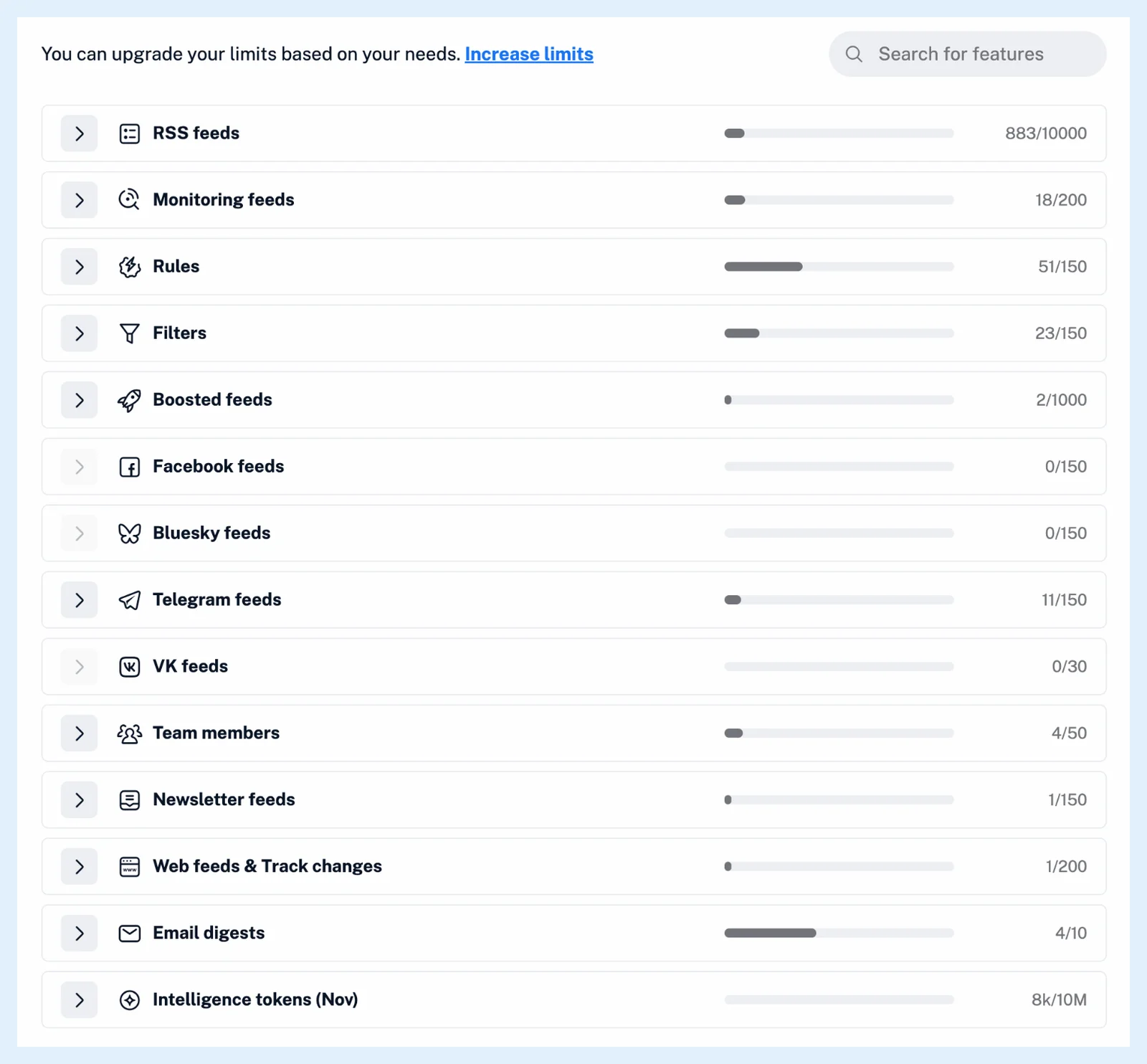
Read the page
Each row has the feature's icon and name, a bar and the figures, and Search for features filters the rows. Monthly features carry the month in their name, for example Intelligence tokens (Nov), and large amounts show as k and M. Above 80% the bar's tooltip warns that you're close to the plan's limit, and at 100% that you've reached it. The arrow on a row expands the members with usage, highest first. Feeds are counted as distinct feeds for the Team, not as the sum of the members. How do shared feature pools work? explains what is pooled.
Warnings and more capacity
When 90% of the Intelligence token pool is used, every member gets the notification "You've used most of your Intelligence tokens." and the owner and admins also get an email. For more capacity, click Increase limits at the top of the Usage tab, which opens the contact form. Can I increase the limit on a specific feature? covers add-ons for personal plans, and Where can I check my Intelligence access and usage? covers your own tokens.
Plans
The Usage tab exists for Teams with a shared pool: every Team and Team Intelligence plan bought since 28 April 2026 and older Teams that switched. The feature page Teams has an overview.
Can't find an answer? Contact support