How do I remove a member or change their role?
Open Manage Team > Members, click Manage next to the person and pick Member or Admin under Role, or click Delete member, then click Save. Only the owner and admins can do this, and the owner can't be changed or removed.
Roles in a Team
The Owner holds the Team plan and pays for it. Admins invite and remove members and change roles, edit the Team's Name and Description and manage its folders, channels, filters, spotlights, digests and dashboards. The SSO and Intelligence settings belong to the owner alone. Members see the list without the Manage menu, and the owner's Manage button is disabled, so the owner can't be demoted or removed.
Change a role
- Click Team in the tab bar, then Manage Team > Members.
- Click Manage next to the person.
- Under Role, pick Member or Admin.
- Click Save.
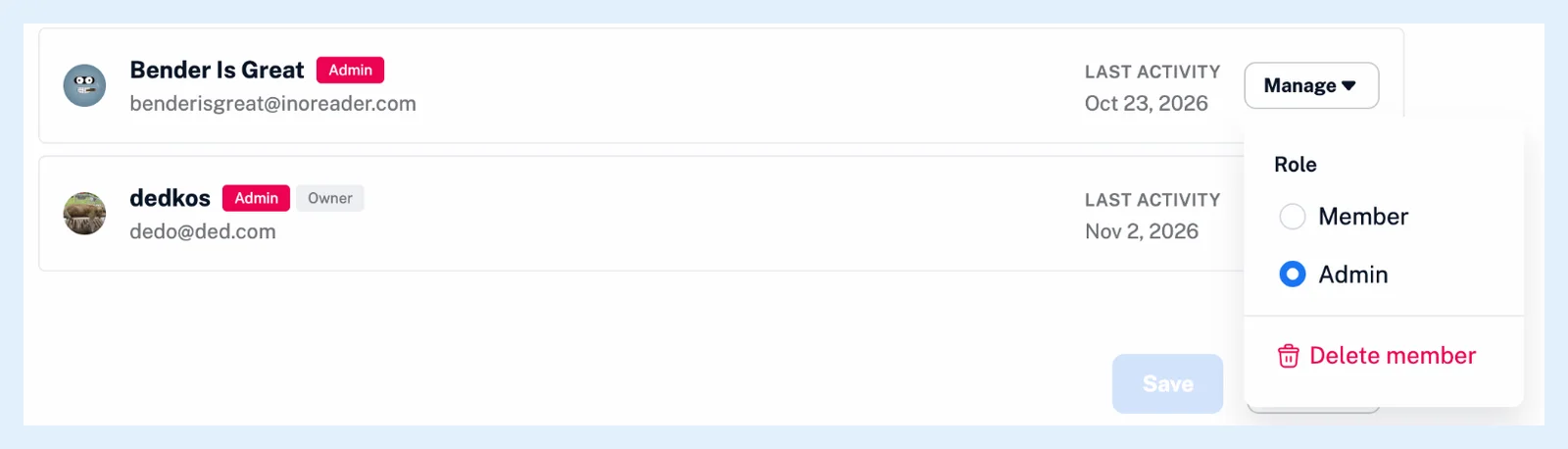
The new role applies when you save, the person isn't notified about it, and Cancel discards the changes.
Remove a member
- Click Manage next to the person and choose Delete member.
- If the Remove Team member dialog opens, it lists the person's own newsletter, monitoring, Web, Telegram or Bluesky feeds that sit in Team folders. Click Remove member and assets to go on, or Keep member and assets to stop.
- Click Save.
The person gets a notification in Inoreader and no email. Their account, personal feeds, folders and saved articles stay. The feeds from the dialog leave every Team folder, their copies of the Team tags are deleted, the Team folders they followed leave their account and they leave every Team channel. They fall back to their own plan or to Free, where feeds over 150 stop updating and paid features switch off until a paid plan brings them back, as What happens if I cancel my subscription? explains. The seat is free at once.
A Team owner can't delete their own account while other members are in the Team.
A pending invitation is withdrawn with Cancel invite and Save, without an email. When the plan has fewer seats than members, the most recently added members get a Deactivated badge and keep their place until seats free up again. How do I create a team and invite members? explains the invitations.
These controls are for the owner and admins of a Team on the Team and Team Intelligence plans.
Can't find an answer? Contact support