How do I add a Team tag?
To create a Team tag, click the New Team tag icon in the Tags heading of the Team sidebar, type a name and click Save tag. To tag an article, open it, click Add tags or press T and pick the Team tag.
Create a Team tag
- Click Team in the tab bar.
- In the Team sidebar, click the New Team tag icon next to Tags.
- Type a Name. Leave Pin this tag in the sidebar on to see the tag in the sidebar.
- Turn on Output feeds if you want a feed of the tagged articles. The link appears after saving.
- Click Save tag.
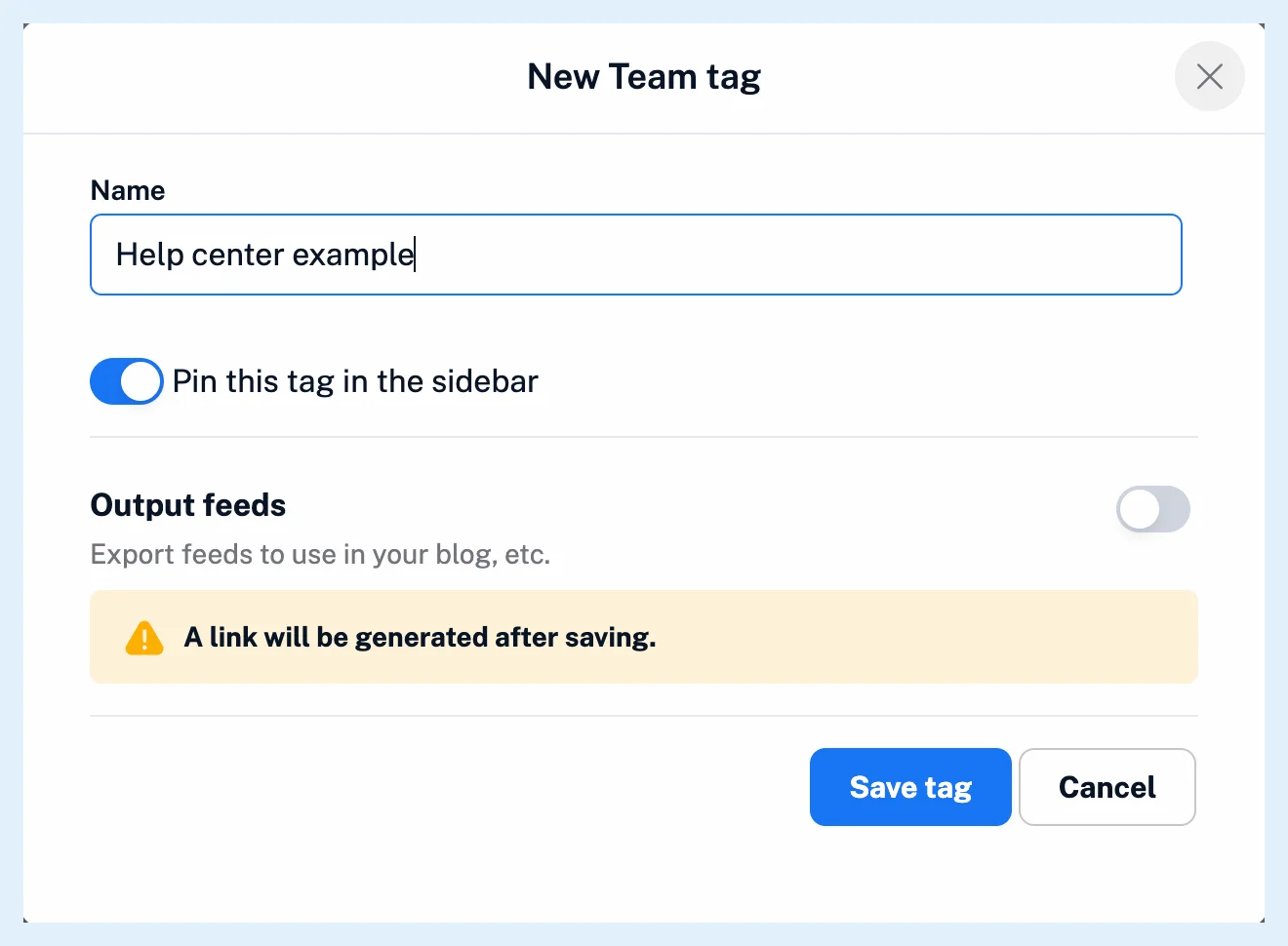
You can also click Create tag in Manage Team > Content > Tags. Any member can create Team tags, and the tag reaches every member, pinned or not as you chose. A name that a tag or folder already uses is refused, so pick another one.
Tag an article
- Open the article and click Add tags, or press T.
- Type in "Search or create tags" to find the tag. Team tags carry the Team tag icon.
- Click the Team tag, or press Enter.
To create and assign a tag in one step, type a name that doesn't exist yet and choose Create new Team tag followed by the name. A Team tag created this way is pinned in every member's sidebar. Tagging with a Team tag tags the article for all members, and nobody is notified.
Tag many articles or tag automatically
To tag several articles at once, select them with Bulk actions and click Add tags in the bar, as Can I tag multiple articles at once? explains. To tag new articles as they arrive, create a rule with the action Assign tag and pick the Team tag.
Plans
Team tags come with the Team and Team Intelligence plans, and every member can create them. What are Team tags? explains how they work, Can I control which tags appear in my sidebar? covers pinning, the video shows tagging, and the feature page Share one set of sources with your whole team covers the Team features.
Can't find an answer? Contact support