Can articles be marked as read as I scroll?
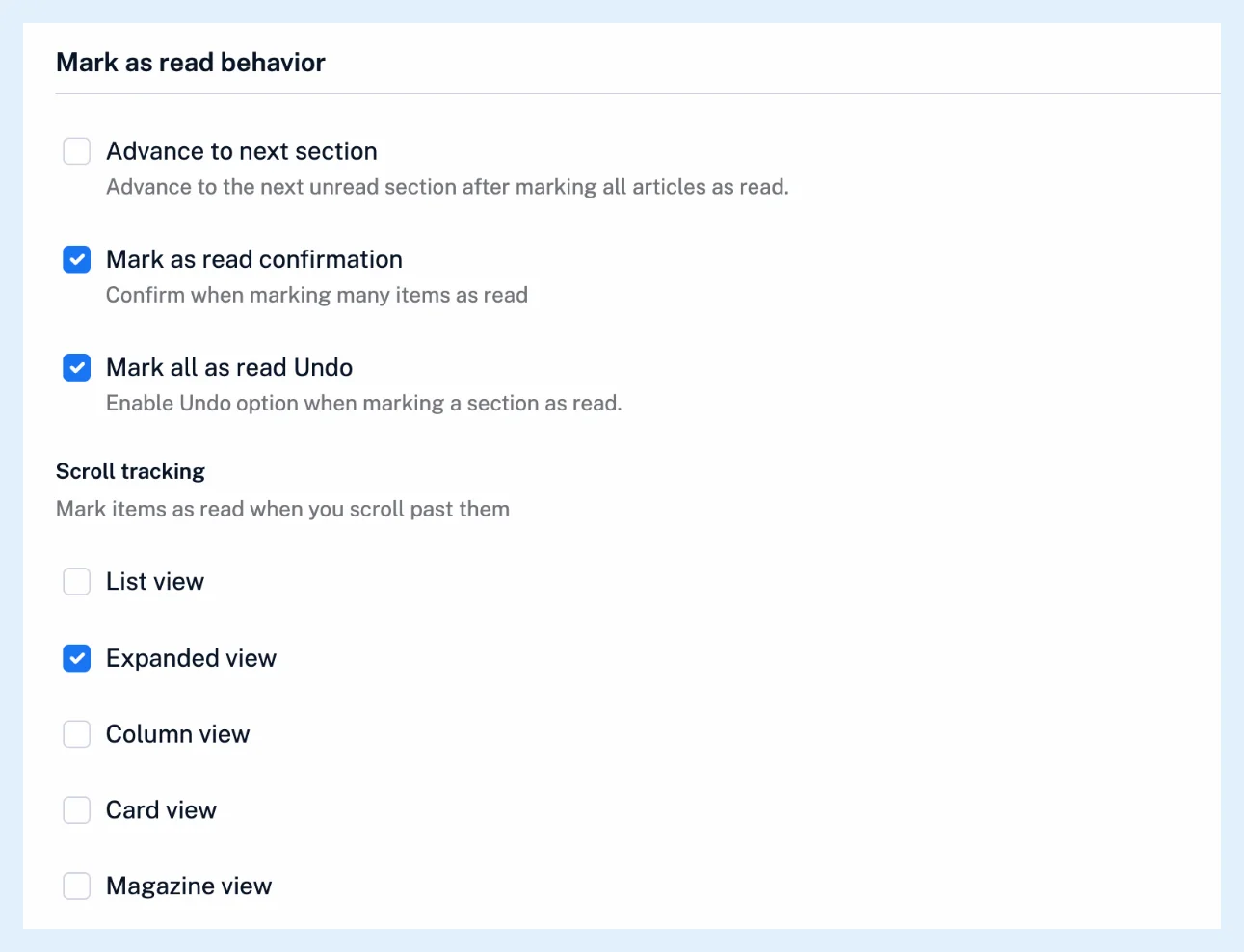
Yes. Scroll tracking under Preferences > Settings > Article listing > Mark as read behavior marks unread articles as read once you scroll past them, with a checkbox for each layout. Only Expanded view is ticked by default.
Turn it on for a layout
- Click the gear in the tab bar (Preferences) and open Settings > Article listing.
- Scroll to Mark as read behavior.
- Under Scroll tracking, tick the layouts you read in: List view, Expanded view, Column view, Card view or Magazine view. Untick a layout to stop tracking there.
The change is saved at once and applies in every browser where you're signed in on the web. Tracking runs only in the layouts you ticked, so you can read in Expanded view with tracking on and leave Card view as it is. What layout options are available? shows how to switch layouts.
When an article counts as read
In List, Column, Card and Magazine view an article is marked read when the whole row or card has moved above the top of the list. In Expanded view it is marked read when its top has scrolled under the header and you have reached its end, and moving on with j and k also marks the article you leave as read. Each article is marked read the moment you pass it, exactly as if you had opened it.
Keep an article unread
Click Mark as unread or press M on an article that was marked read as you scrolled, and it stays unread while that list is open, even when you scroll past it again. An article marked read by mistake can be marked unread again for 30 days, and How can I restore articles accidentally marked as read? covers the Undo and the Older than options.
Related settings
Under Preferences > Settings > Power user settings, Scan tracking marks items as read when you scan past them with the n and p keys. The rest of the tab is in Can I customize how articles are displayed?. To mark a whole view at once, see How do I mark all as read?, and the keys that mark the articles above or below the current one are in Which keyboard shortcuts does Inoreader have?.
Scroll tracking works on every plan.
Can't find an answer? Contact support